
AI Reading Assistant
LinkBook Smart Cards + Reader Insights: an AI reading assistant for saved links
Save links to read later, triage with Smart Cards, read in calm Reader Mode, and capture reusable takeaways with Quick Brief and Highlight Digest.
In this guide
- Why read-later lists grow faster than your reading time.
- How Reader Mode and Smart Cards reduce reading friction.
- How Reader Insights turns long articles into reusable outputs.
- A practical workflow that keeps reading and note-taking in one place.
Problem: too many articles, not enough time
If you save links to read later, you already know the tradeoff: your queue grows faster than your free time. One good topic can generate five "must read" articles before lunch. You save them with good intentions, then a week later they become a backlog of tabs you never fully revisit.
Even when you do read, the impact can be thin. You forget the key point by tomorrow. You lose your best quote inside a wall of text. You cannot find that article again when you need it for a decision, a memo, or a class discussion.
This is where an AI reading assistant helps. Not by replacing reading, but by helping you triage what to open, focus while reading, and retain what matters after you close the article.
Try LinkBook on iPhone
Install in 30 seconds, save your first link from Share Sheet, and see Smart Cards immediately.

Friction: online reading is noisy and your workflow is scattered
Most web pages are not designed for focused reading. Ads, pop-ups, auto-play video, and sidebars compete with the text you came for. The longer the article, the more likely attention slips.
Then there is workflow fragmentation. You read in one app, highlight in another, summarize in a third, and track action items somewhere else. Every extra step increases drop-off, so your read-it-later system turns into a guilt list instead of a productivity loop.
Reader mode: a calmer place to read (even offline)
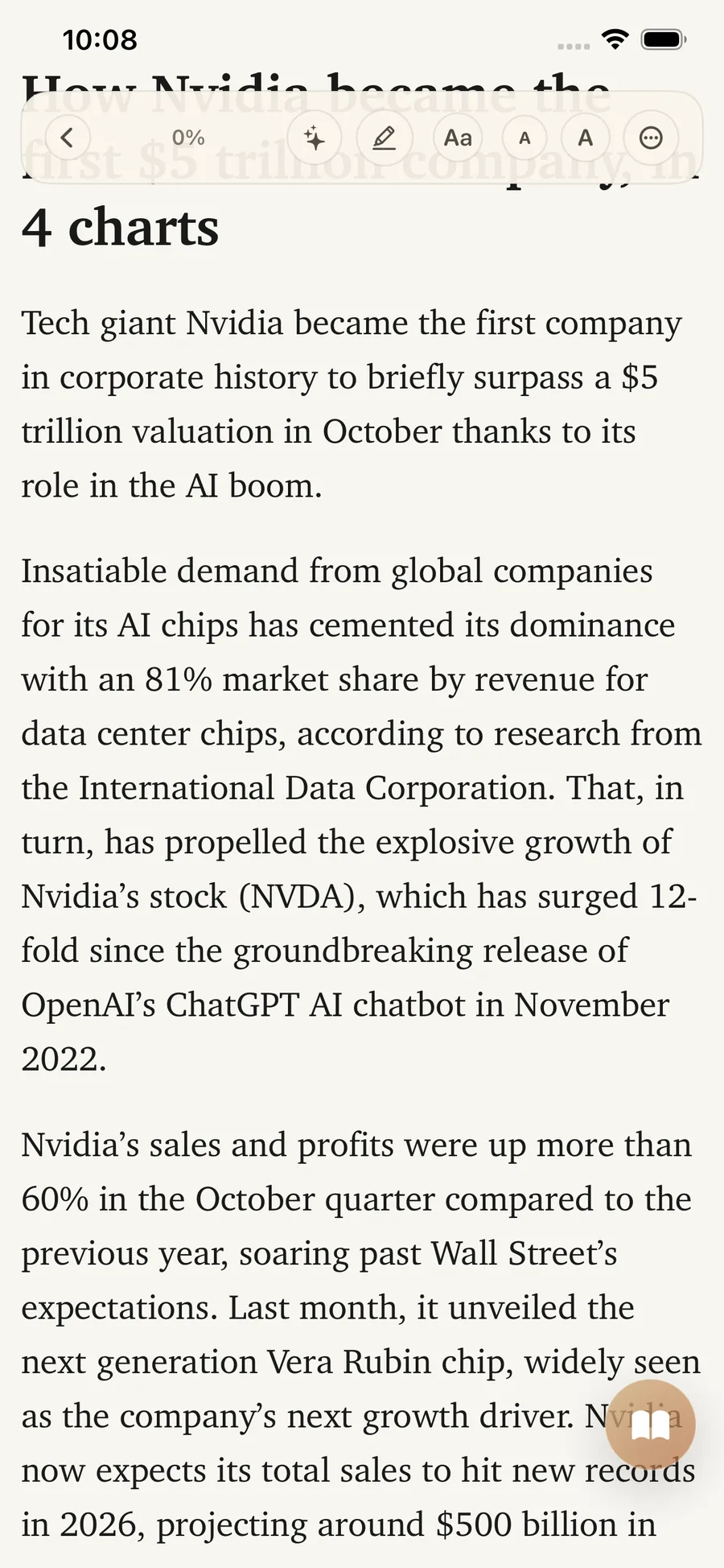
LinkBook Reader Mode turns messy pages into clean, stable reading views you can revisit later. It also supports offline access for saved articles, so reading does not depend on perfect connectivity.
Reader Mode is more than visual cleanup. It gives your reading habit a reliable home: same layout, less distraction, and highlights attached directly to the saved article.
Smart Cards: quick context so you know what to read next
Saving links is easy. Choosing what to read now is harder. LinkBook Smart Cards solve that first decision with compact context before you open the article.
In practical terms, Smart Cards help you answer: What is this link about? Why does it matter to me now? Should I read now, defer, or skip? That is the core value of a smart cards app for busy knowledge work.
A practical triage habit (no guilt required)
Use a simple triage rhythm:
- Scan your list as if it were an inbox.
- Pick one link that matches your current goal.
- Defer everything else without guilt.
This is how "save links to read later" becomes real read-it-later productivity instead of endless backlog churn.
Reader Insights: an AI reading assistant inside Reader mode
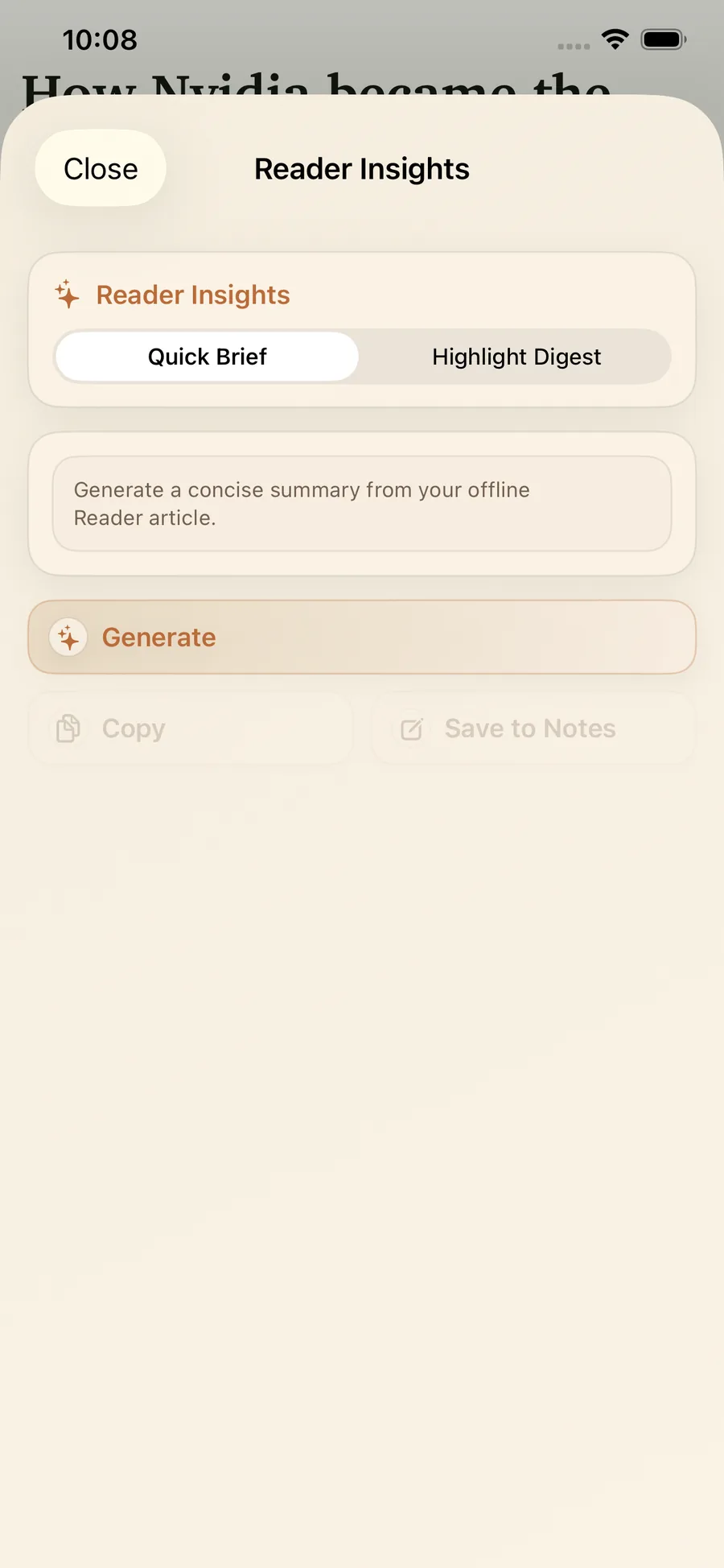
Smart Cards help you decide what to open. Reader Insights helps you extract value once you open it. Inside Reader Mode, you can generate insights, regenerate for another angle, copy, and save to notes without context switching.
Quick Brief: a fast article summarizer for the gist
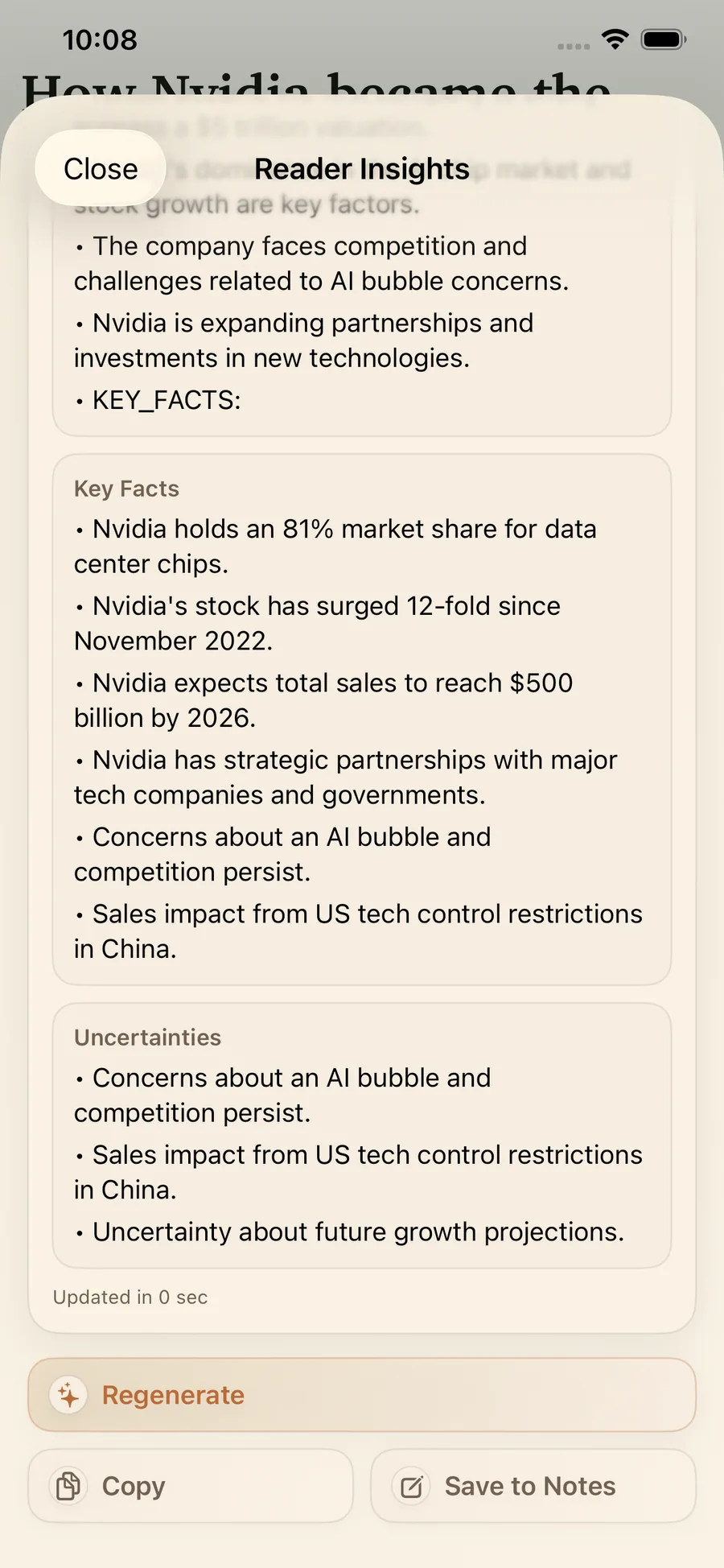
Quick Brief is your get-the-point button. It generates a concise summary from your Reader article so you can understand structure and stakes before committing to every paragraph.
Unlike generic summarizers, Quick Brief is structured. You may see sections like Brief, Key Facts, and Uncertainties. That structure helps separate what is established from what still needs validation.
Highlight Digest: turn highlights into notes you can act on
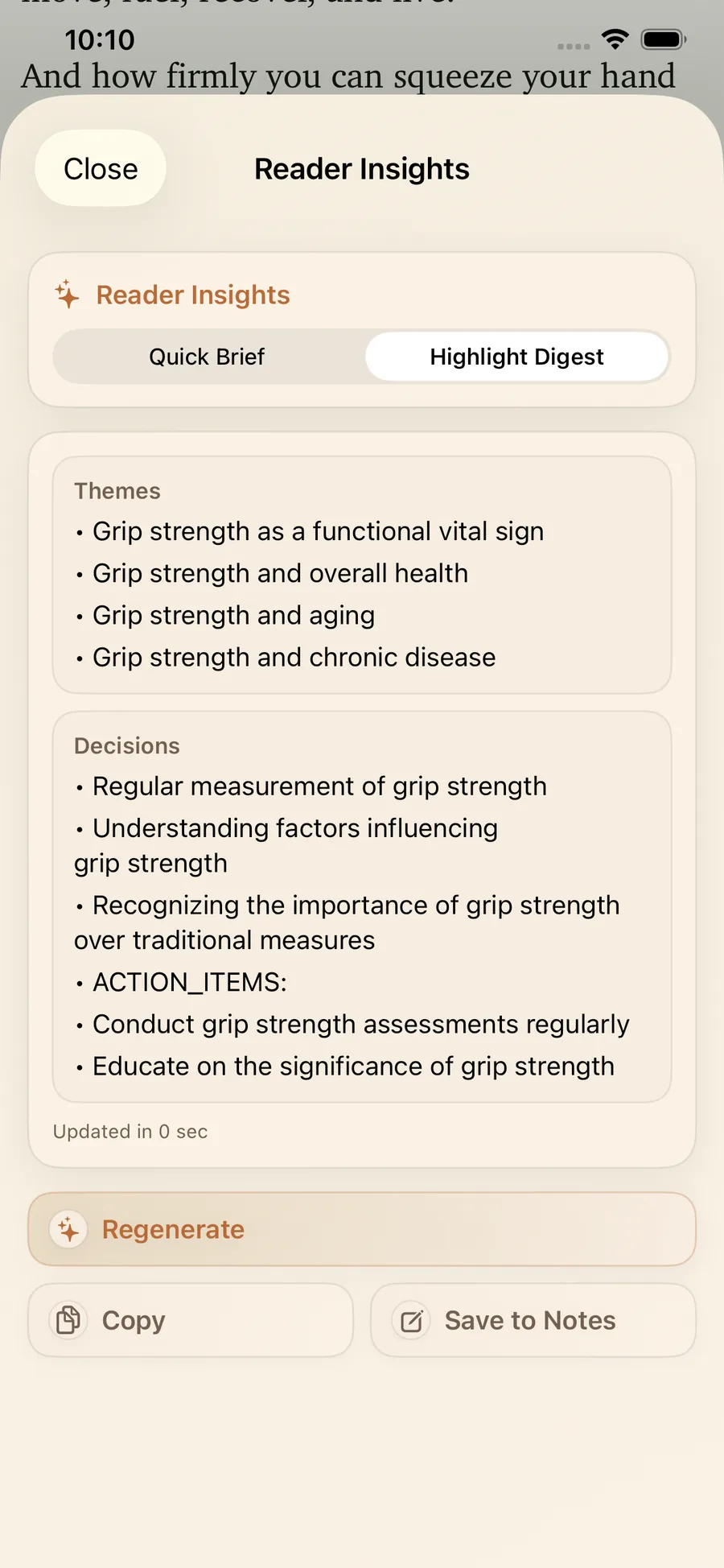
Quick Brief helps you start. Highlight Digest helps you finish. As you highlight key passages, Highlight Digest transforms your highlights and notes into a structured recap you can reuse later.
Depending on the article, output can be grouped into sections like Themes, Decisions, Action Items, and Open Questions. That makes it useful for planning, writing, and team handoffs.
Regenerate, Copy, Save to Notes: keep the flow moving
Reader Insights supports a practical AI note-taking workflow:
- Regenerate when you need a different angle or tighter output.
- Copy to move summaries into docs, task tools, or messages.
- Save to Notes to keep insights attached to the source link in LinkBook.
You stay in one loop: read, capture, summarize, store.
A quick note on on-device AI
Many tools advertise on-device AI. In practice, what matters is workflow reliability and privacy fit. LinkBook Reader Mode keeps a clean offline copy of saved articles so your reading flow does not depend on fragile live pages.
How it works in 60 seconds
- Save a link to LinkBook when you find something worth revisiting.
- Use Smart Cards to triage and choose your best next read.
- Open Reader Mode for a clean, distraction-free article view.
- Generate Quick Brief for a fast overview.
- Read and highlight what matters to your work or class.
- Generate Highlight Digest to capture themes and action points.
- Save to Notes so insights stay attached to the link.
- Copy into your docs, tasks, or team chat when needed.
Less context switching. More follow-through.
Outcome: more leverage from every saved article
When reading is easier to start and easier to finish, you read more consistently and remember more. LinkBook Reader Mode, Smart Cards, and Reader Insights produce practical gains:
- Faster comprehension with Quick Brief.
- Better recall with Highlight Digest.
- Less switching between reader, notes, and task tools.
- Cleaner handoffs when sharing summaries with teammates.
If you want an AI reading assistant that feels practical instead of hype-driven, test it on your next long article: Quick Brief first, then finish with Highlight Digest.
FAQ
What is an AI reading assistant?
An AI reading assistant helps you understand long articles faster by summarizing, extracting key points, and turning highlights into reusable notes while you stay in control of what you read.
What is the difference between Quick Brief and Highlight Digest in LinkBook?
Quick Brief summarizes the full article for a fast overview. Highlight Digest summarizes your highlights and notes into a structured recap you can save or share.
Can LinkBook work as an offline reader app?
Yes. LinkBook Reader Mode is designed for offline access to saved articles so you can keep reading when your connection is unstable or unavailable.
Try Reader Insights on your next long article
Your read-later list should not feel like guilt. Save your next long article in LinkBook, triage with Smart Cards, open Reader Mode, generate a Quick Brief, and close with a Highlight Digest you can keep and use.
Download LinkBook on the App Store and explore how Smart Cards work in LinkBook.
Ready to build your link library?
Download LinkBook and start saving in seconds.