LINKBOOK · FOR IPHONE & IPAD
Keep your links.
Make time to read.
A private bookmark manager and read-later app. Save links, PDFs and books from Safari and your other apps, then read, listen or write on them when you’re ready.
 Scan to download
App Store
New in LinkBook 4.0
Read it. Hear it.
Write on it.
LinkBook 4.0 reads aloud, lets you mark up what you read, and answers questions about your documents, on your iPhone and iPad.
Listen
Have articles, EPUBs and PDFs read aloud, with each word highlighted as it’s spoken. Set a sleep timer, change the speed or use your Personal Voice.
Listen to your readingWrite on what you read
Underline, circle or strike through text with a finger or Apple Pencil, and the marks snap to the words. Draw on PDF pages and add handwritten notes.
Mark up PDFs and booksAsk your documents
Ask a PDF or article a question, or have a passage explained, privately on device with Apple Intelligence. Keep several notes per link.
Ask a PDF a questionTwo pages side by side
Book Mode shows a two-page spread on iPad and on most iPhones in landscape. Reader controls float over the page and follow your light or dark theme.
Read in Book Mode
01 / LinkBook
Save something worth coming back to.
- Open a page in Safari or another app and tap Share.
- Choose LinkBook. Use More in the app row if it is not visible.
- Check the link, then tap Post. Find your save in LinkBook.
In Safari, the Save to LinkBook extension saves the tab you are reading, or every open tab as a folder.
How to bookmark and save links on iPhone02 / LinkBook
Find the link. Keep the thought.
Add tags and notes, mark favorites, and search your library, down to the words inside saved articles. Keep a project’s articles and files together in folders.
Find the link. Keep the thought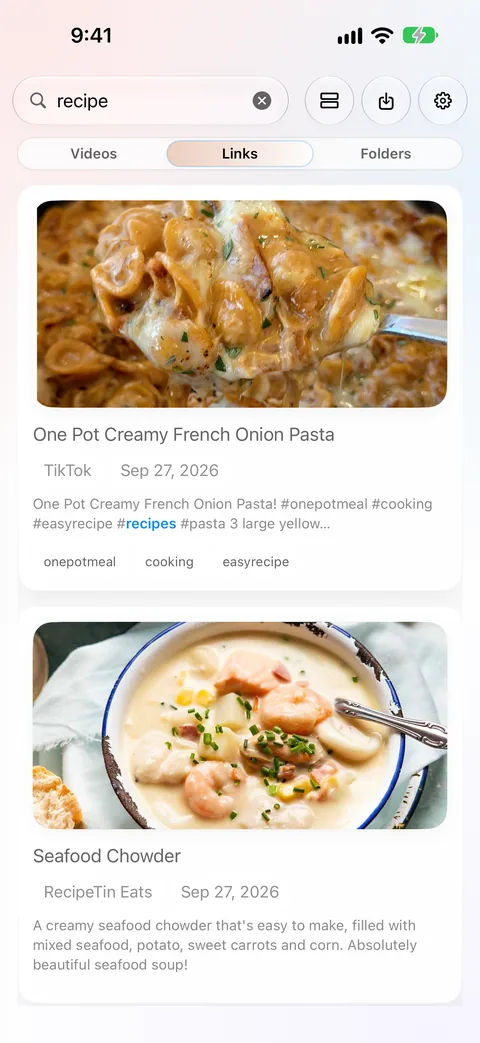
03 / LinkBook
A little more room to read.
Read eligible articles in Reader, and PDFs and DRM-free EPUBs in Book Mode, with highlights, notes and saved progress. Have them read aloud, and download reading files before going offline.
Open an EPUB on iPhone or iPad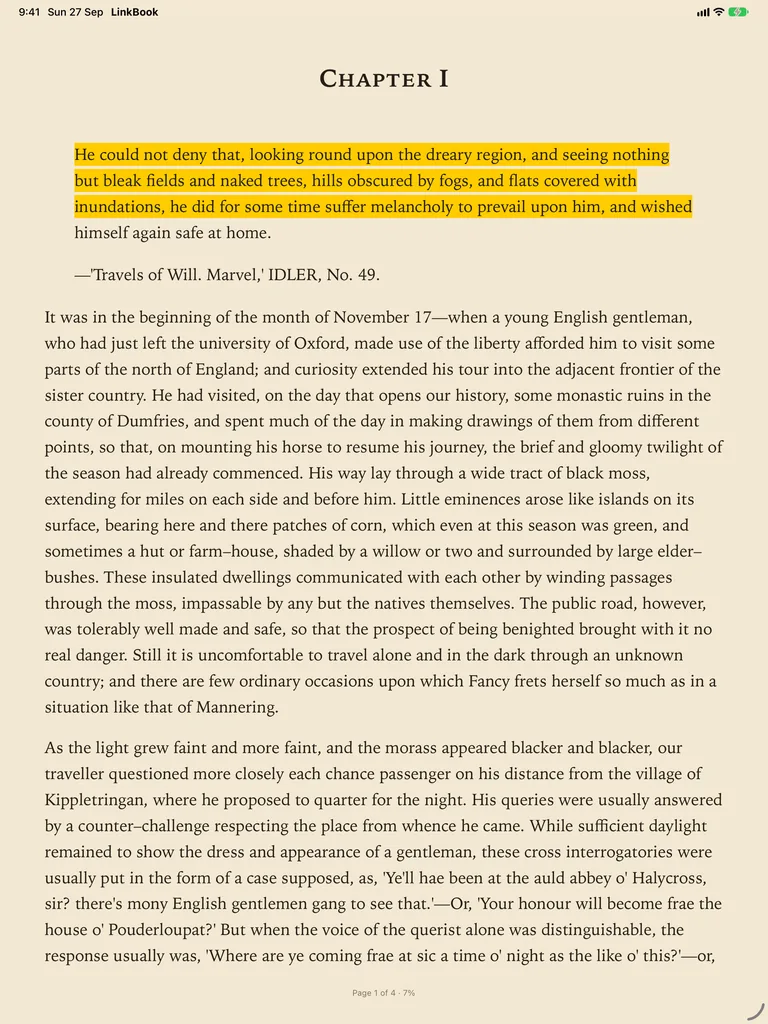
04 / LinkBook
Save the recipe. Start cooking.
For supported recipe links, a Smart Card brings ingredients and steps together. Open Cook Mode to follow a step and start a timer.
Save recipes with LinkBook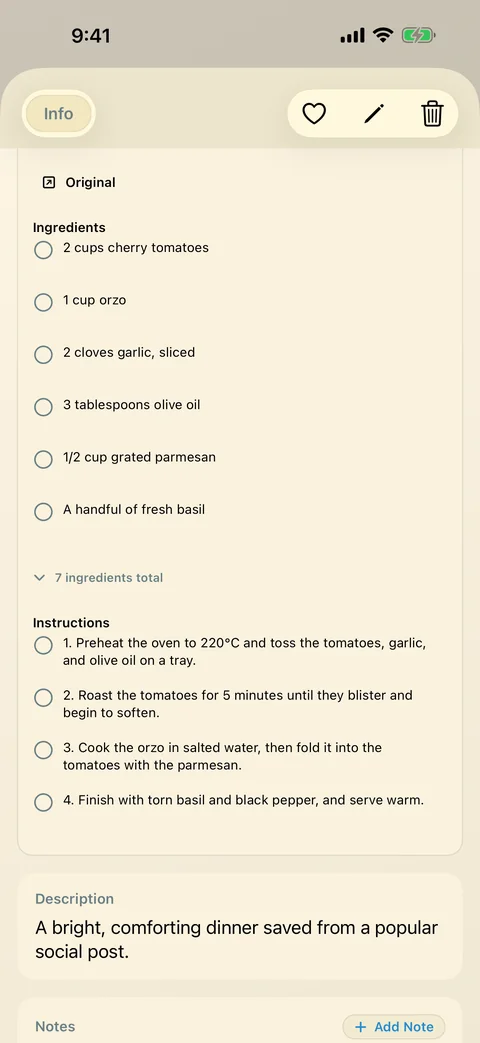
Your library, on your device.
Start without a separate LinkBook account. Keep your library on your device, make local backups, and choose whether to use private iCloud sync.
Understand privacy and hidden linksA good place to start.
A few useful details.
Can I save pages straight from Safari?
Yes. Turn on the Save to LinkBook extension in Settings › Apps › Safari › Extensions. In Safari, save the tab you are reading, or save every open tab as a folder. The Share Sheet also works from Safari and other apps. See how to save links on iPhone.
Does every link work offline?
No. Eligible article text must be saved successfully, and reading files must be on the device. Live pages, embedded media and unsupported content may still need a connection.
Which devices and languages are supported?
LinkBook supports iPhone and iPad with iOS or iPadOS 16 or later. The app interface is in English. Reader Insights, Ask and Explain need Apple Intelligence on a compatible device.
Can LinkBook read articles aloud?
Yes. Listen reads articles, EPUBs and PDFs aloud with the voices on your iPhone or iPad and highlights each word as it’s spoken. For a more natural voice, download an Enhanced voice in Settings › Accessibility › Read & Speak › Voices (Spoken Content before iOS 26).
Make room for your next good read.