
Claude Smart Card
Claude Smart Card in LinkBook: Why It Can Look Lighter Than Gemini
Many of you asked for Claude support after using ChatGPT Source Pack and Gemini Insight Pack. We shipped it. This post explains what Claude Source Pack shows today and why some Claude cards may be simpler.
In this guide
- What we shipped in Claude Smart Card.
- Why Claude cards can look lighter than Gemini cards.
- What data is still captured and actionable.
- How to get the most value from Claude links in LinkBook.
If you read our previous guide on AI Smart Card for ChatGPT and Gemini, you already know the direction: save AI links as structured knowledge, not raw bookmarks.
Since then, one request came up repeatedly: "Please add Claude Smart Card." We listened and shipped Claude Source Pack as part of LinkBook's AI smart card stack.
Try LinkBook on iPhone
Save one Claude link from Share Sheet and open its Smart Card in seconds.

What Claude Smart Card can show today
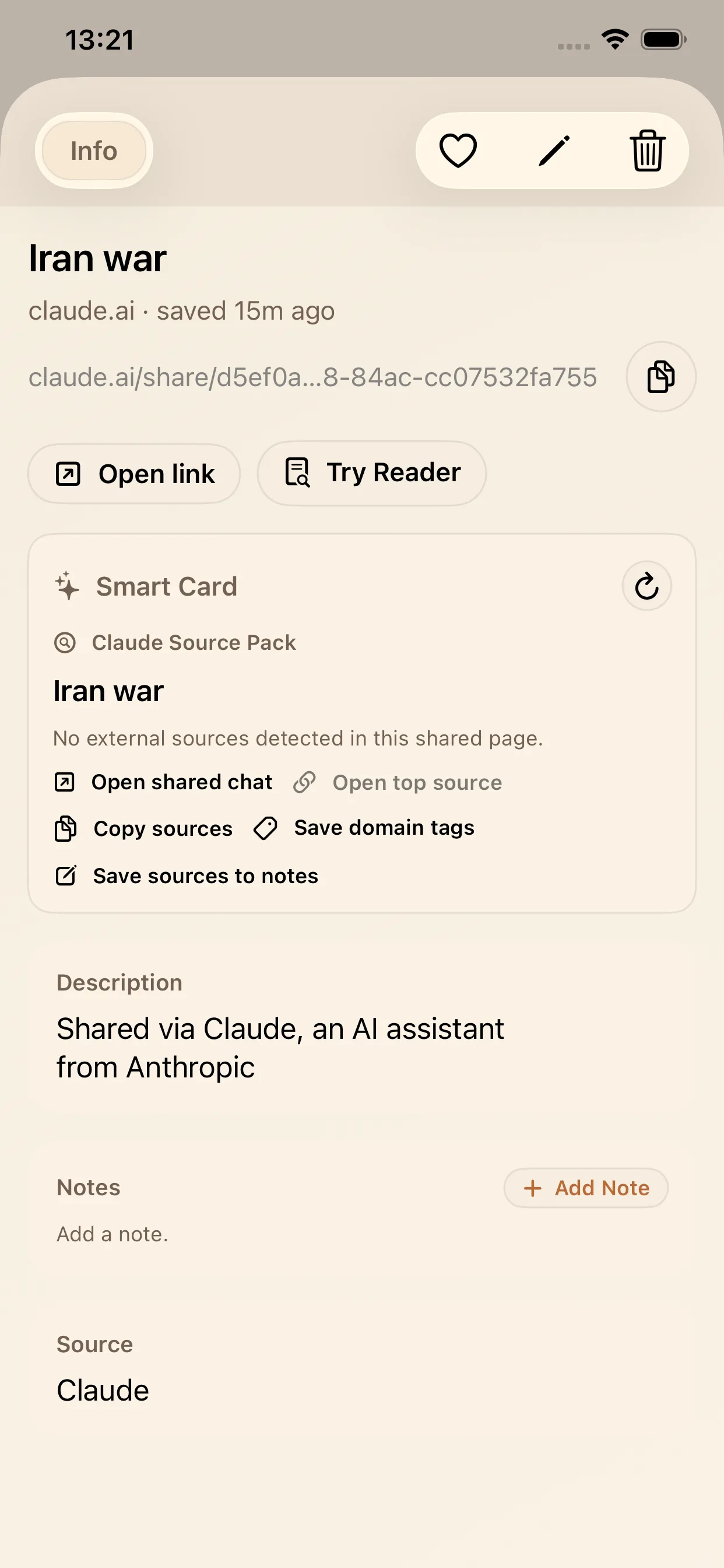
Claude Source Pack is designed to keep saved Claude links usable later. Depending on what the share page exposes, it can surface title context, source links, top domains, and quick actions for notes and tags.
Why Claude can look lighter than Gemini
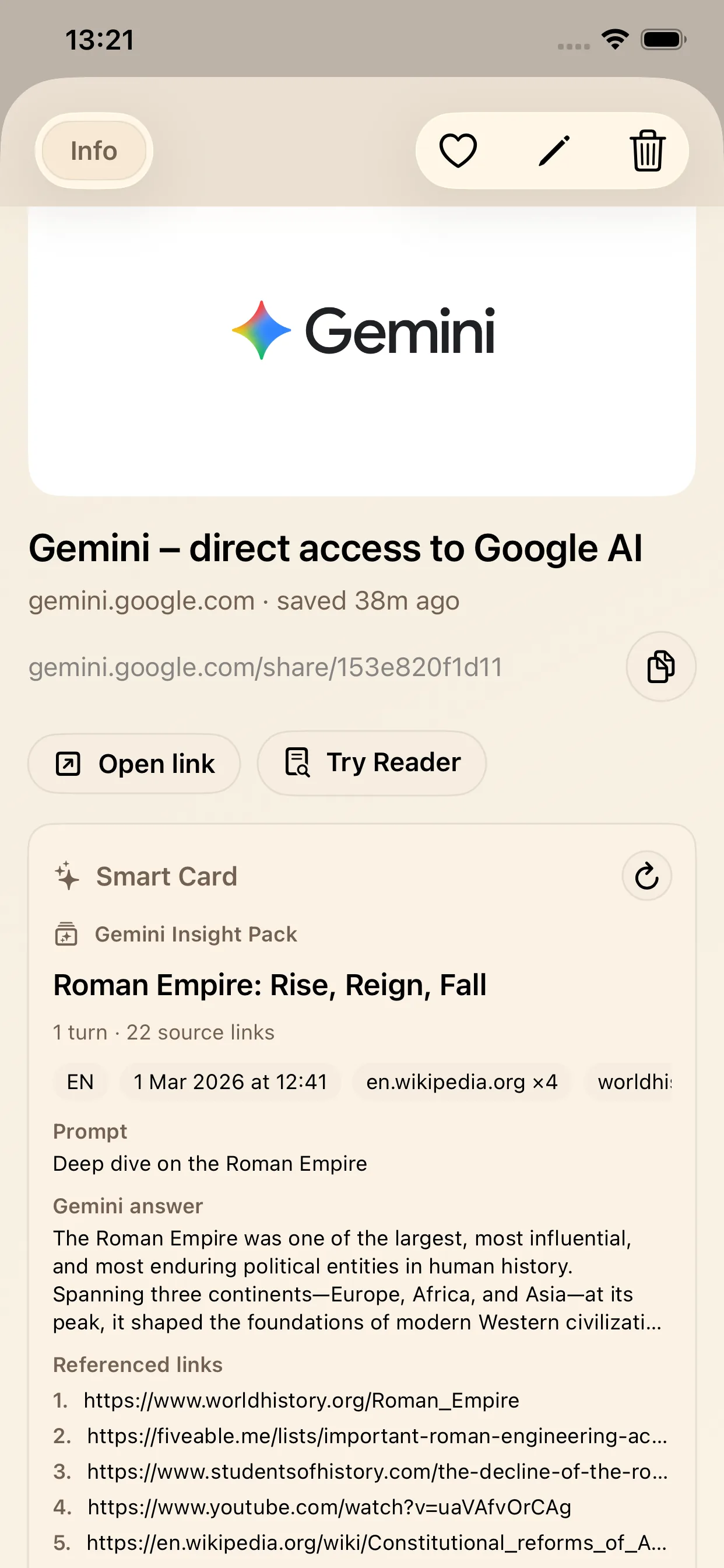
Gemini and Claude shared pages do not always surface the same amount of preview information. Gemini links often show more detail for prompts, answers, and references, while some Claude shared pages stay more limited.
In those cases, LinkBook shows a lighter Claude card instead of a blank save. You still keep a usable card and one-tap actions.
What still works in lighter Claude mode
- Open shared chat directly from the card.
- Copy extracted sources when available.
- Save domain tags for better filtering later.
- Save source text to notes for project context.
So even when a Claude card is not as rich as a Gemini card, the link remains organized and reusable in your iOS knowledge workflow.
Best workflow for Claude links in LinkBook
1) Save fast, while context is fresh
Use Share Sheet and save the Claude link immediately.
2) Check Smart Card before reopening the full chat
Scan title and source summary first. If sources exist, open top source early.
3) Export structure to notes and tags
Use Save sources to notes and Save domain tags to make retrieval easier later.
4) Verify one source before reuse
Smart Card helps with triage, but verification is still your step. Open at least one source before you publish, submit, or share.
FAQ
Why does Claude Smart Card sometimes show less data than Gemini Insight Pack?
Some Claude shared pages provide less preview information than others. When that happens, LinkBook still shows a lighter Claude Source Pack with the main actions instead of leaving you with an empty state.
What can Claude Source Pack still do in the lighter mode?
You can still open the shared chat, copy sources, save domain tags, and save source text to notes, so the saved link remains useful.
Can Claude Smart Card show prompt and answer previews too?
Yes. When a Claude shared page includes more preview information, LinkBook can show a richer card with more detail.
Ready to organize AI links with context?
Download LinkBook and save your first Claude link in under a minute.