
Premium Search Engine
New in LinkBook: Premium Search with Quotes, OR, and Typo Recovery
Free search stays simple and reliable. Premium Search adds precision operators, typo resilience, and deeper context-aware retrieval when you need it.
In this guide
- How Premium Search changes retrieval without changing the Free workflow.
- How quotes, minus exclusions, and OR groups work in practice.
- How typo recovery and deeper matching improve recall in larger libraries.
- When optional on-device Apple Foundation Models can improve search quality.
When you save links all day, the hard part is not collecting them. It is finding the right one later. That is why LinkBook (LinkVault) has always focused on clean organization and fast retrieval: folders, rich previews, and keyword search that works the way you expect.
Today we are introducing a new Premium Search Engine for LinkBook. Free search stays exactly as it is: reliable, lightweight keyword lookup. Premium Search is for the moments when you know what you mean but cannot remember the exact title, or when you need to narrow a large library without endless scrolling.
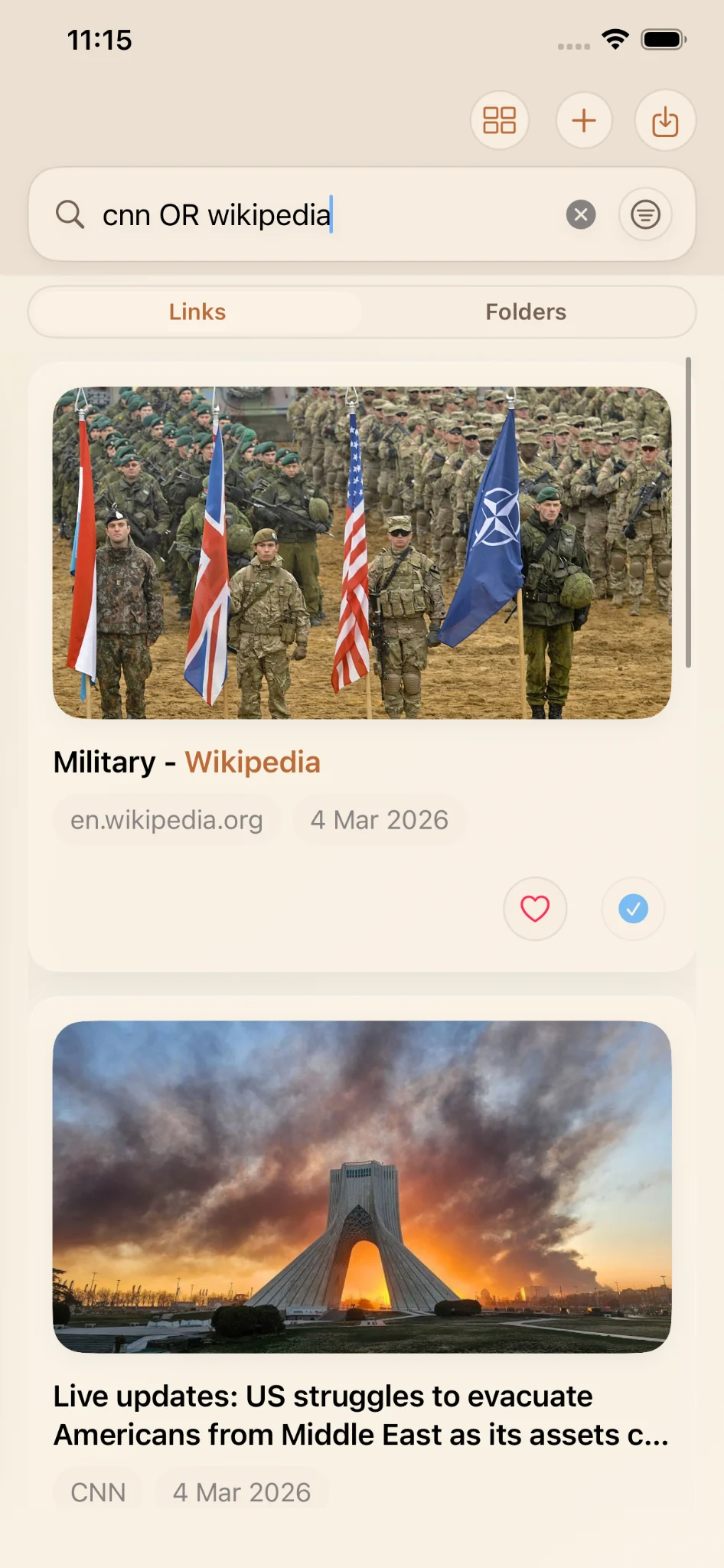
A real example: cnn OR wikipedia
Here is a simple demo from a real LinkBook library:
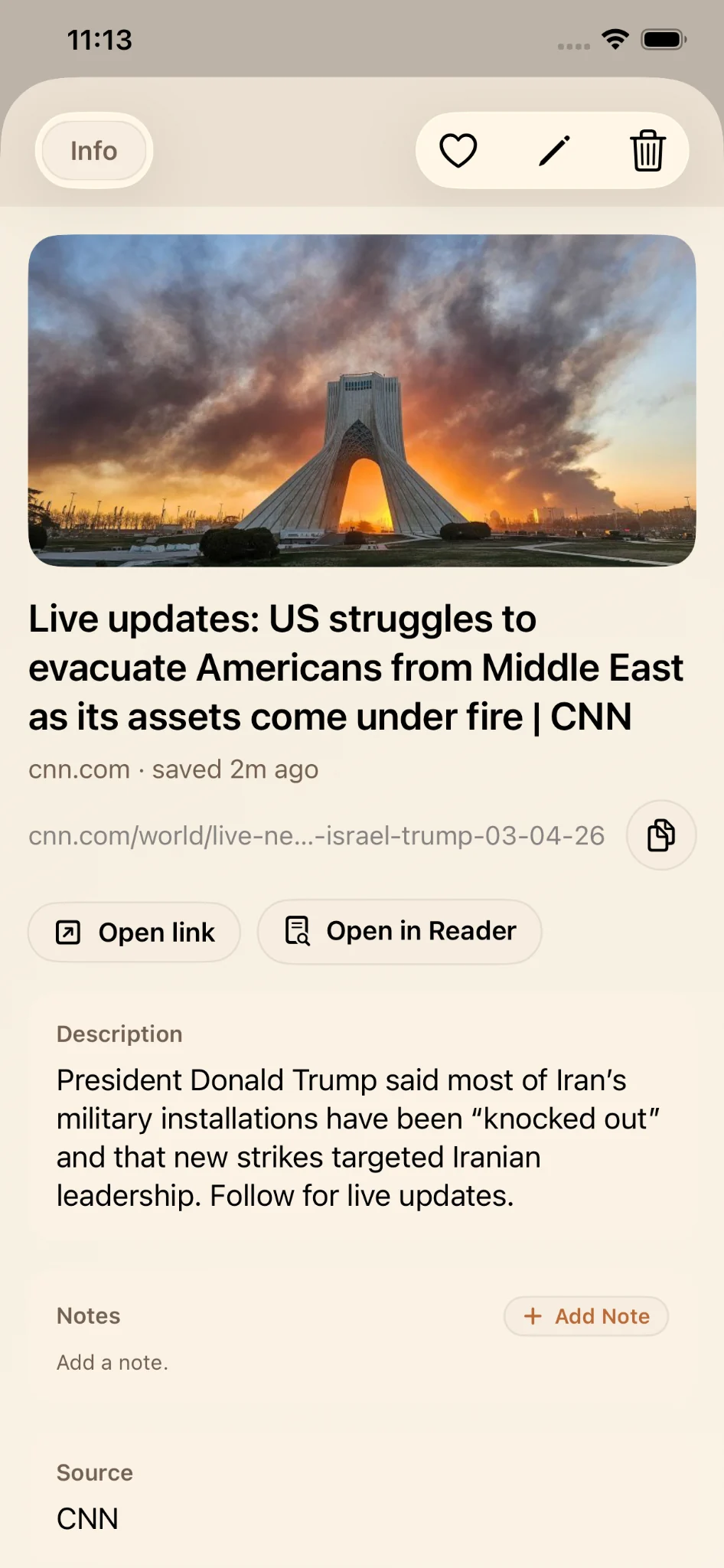
- A saved CNN live updates link.
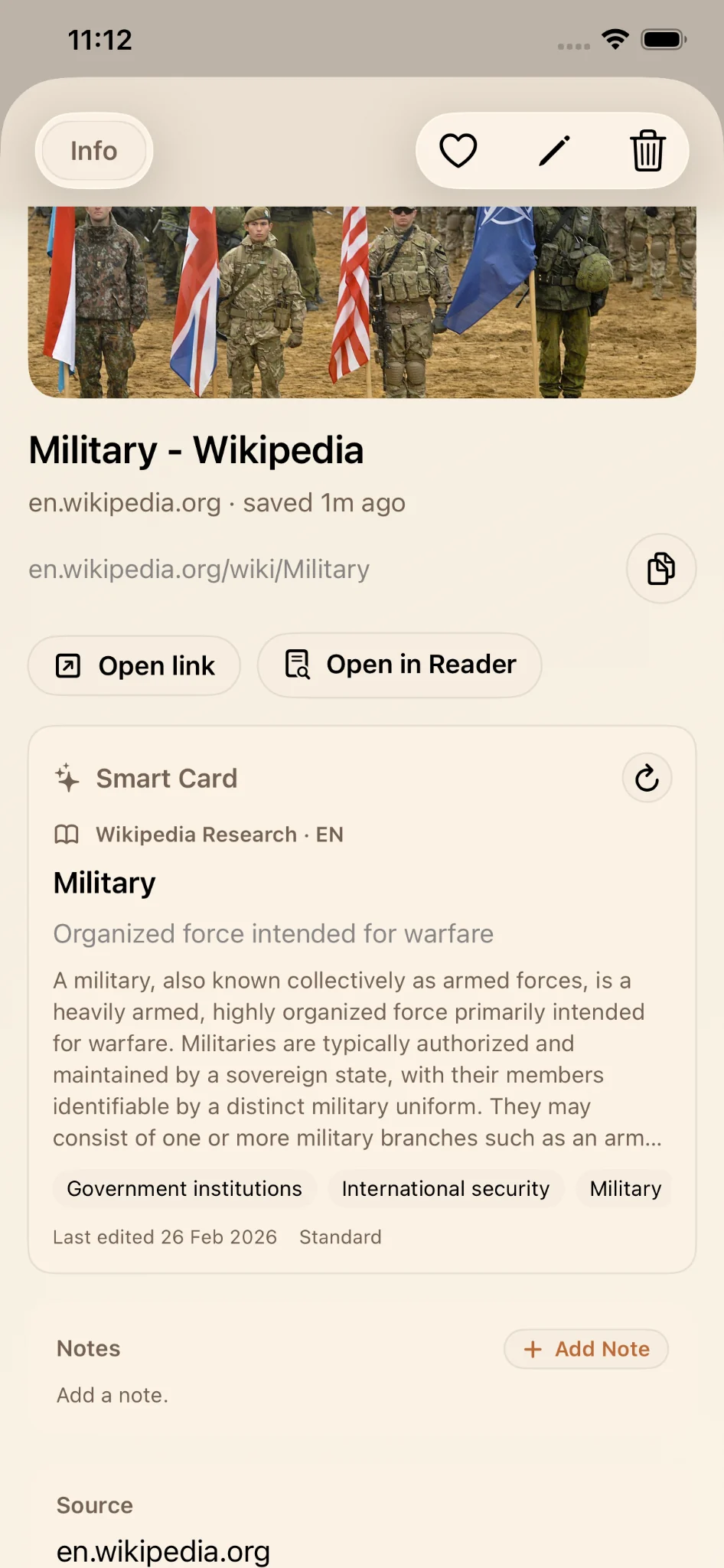
- A saved Wikipedia Military link.
In Premium Search, the query cnn OR wikipedia returns both results because the search engine
understands that you are asking for items that match either side of the OR group. No extra filters,
no manual toggles. Just type the query and move on.
That is the theme of Premium Search: precision when you need it, with the same single search bar.
Free search vs Premium search in plain English
If you are happy with today's behavior, type a word and get matching links, nothing changes. The Free tier continues to use the current keyword search behavior.
Premium adds two upgrades:
- Query operators that let you express intent (phrases, exclusions, OR).
- Richer matching paths that can search more of what you saved (Reader text and semantic metadata when available).
Premium operators: search like you talk
Most people do not think in single keywords. They think in constraints: the exact phrase, what to exclude, or two possible sources they might have saved.
1) Exact phrase search with quotes
Use quotes to match a phrase exactly: "swift concurrency".
This is useful when you remember a specific headline or multi-word term.
2) Exclusion with minus
Use a minus sign to exclude a term: rust -apple.
Exclusions help cut through noise without adding manual tags first.
3) OR groups to widen without losing control
Use OR to match either side: cnn OR wikipedia.
This works well when comparing sources or when you remember alternatives instead of one exact source.
4) Fuzzy typo recovery
Small misspellings should not break your flow. Premium includes typo-recovery fallback, so
concurency can still find results related to concurrency when the typo is close enough.
Premium searches deeper than titles and URLs
Keyword search is useful, but it only sees obvious fields. Premium can look beyond that with richer matching paths when available:
- Reader text, so search can match meaningful content inside an article.
- Semantic metadata, such as structured summaries and tags from Smart Cards.
That combination helps you remember why you saved something, not only where it came from.
On supported iPhones: optional semantic enrichment with Apple Foundation Models
On supported iPhones, LinkBook can use on-device Apple Foundation Models to enrich semantic metadata, for example cleaner topic tags or more consistent summaries that improve Premium Search quality.
If your device does not support Apple Foundation Models, Premium Search still works. Quotes, minus, OR groups, and lexical plus fuzzy matching remain available, and search can still use any existing Reader text or metadata that is already present.
Who Premium Search is for
Premium Search is designed for people who:
- Save many links across different topics.
- Need fewer taps and less scrolling to retrieve information.
- Remember ideas and phrases, not exact page titles.
- Prefer expressing intent in the search box over manual cleanup.
Free search remains a strong fit for everyday keyword lookup. Premium is for power users who want precision, typo resilience, and context-aware retrieval inside the same LinkBook interface.
Free vs Premium Search
| Capability | Free (Legacy) | Premium Search Engine |
|---|---|---|
| Reliable keyword lookup | ✅ | ✅ |
Exact phrase search ("...") |
— | ✅ |
Exclude terms (-) |
— | ✅ |
OR groups (OR) |
— | ✅ |
| Fuzzy typo recovery fallback | — | ✅ |
| Richer matching paths (Reader text when available) | — | ✅ |
| Richer matching paths (semantic metadata when available) | — | ✅ |
| On-device Apple Foundation Models enrichment (supported iPhones) | — | ✅ (optional) |
FAQ
Does anything change for Free search users?
No. Free search remains the same reliable keyword lookup behavior in LinkBook. Premium Search is an additional engine for users who need more precision tools.
How do OR queries work in Premium Search?
Use the OR operator to match either side of a query, such as cnn OR wikipedia.
LinkBook returns items that match either term in the same query.
Can Premium Search still work if my iPhone does not support Apple Foundation Models?
Yes. Quotes, minus exclusions, OR groups, and lexical plus fuzzy matching still work. Premium can also use any existing Reader text or metadata that is already present.
What does deeper search mean in Premium?
Premium can search beyond title and URL by using Reader text and semantic metadata, such as Smart Card summaries and tags, when those fields are available.
Is typo recovery aggressive?
Typo recovery is designed as a fallback for close misspellings, so search stays forgiving without broadly guessing unrelated terms.
Ready to search your saved links with precision?
If LinkBook is where your read-later links live, Premium Search helps you actually find them later.
Try cnn OR wikipedia to feel the difference.
