
Zillow Smart Card
Zillow Smart Card: A cleaner way to save and compare listings on iPhone
Zillow Smart Card in LinkBook turns saved listings into structured snapshots so you can scan, compare, and decide faster without reopening every tab.
In this guide
- Why plain Zillow bookmarks break down during real estate research.
- What Zillow Smart Card extracts into a usable listing summary.
- How Missing critical info and Rent vs Buy context improve decisions.
- A practical iPhone workflow for cleaner, faster listing comparisons.
Saving Zillow links is easy. Remembering why you saved them is the hard part. A week into home searching, your iPhone fills with tabs, screenshots, and bookmarks that all look the same until you reopen each one and relearn the details.
Zillow Smart Card in LinkBook fixes the bookmark-without-context problem by turning a saved Zillow URL into a structured listing snapshot you can scan, search, and compare later.
Try LinkBook on iPhone
Install in 30 seconds, save your first link from Share Sheet, and see Smart Cards immediately.

What is a Smart Card?
A Smart Card is a structured summary attached to a saved link. Instead of storing only the URL, LinkBook turns supported links into consistent cards with the details you actually check later.
Think of it as smart cards for links: the page stays the source of truth, but the card makes your library usable.
- Scan faster with key details visible without reopening the page.
- Search smarter with structured fields instead of raw URLs.
- Compare consistently when each saved item has the same layout.
- Build a real research trail instead of a pile of links.
This works across many link types, but real estate is a high-value case because the same summary fields get compared repeatedly.
Why real estate links are harder to manage
Real estate research is repetitive and high-stakes:
- Every listing is multi-variable: price, est./mo, beds, baths, sqft, and location.
- Critical details can be missing, hidden, or hard to verify.
- Comparison happens over time as you revisit listings before tours.
That is why simple bookmarking does not hold up. For real estate search intent, you need a real estate link organizer that preserves context and keeps comparisons consistent.
Zillow Smart Card in LinkBook: problem to solution
Problem: the details exist, but the workflow does not
When you save Zillow links on iPhone, three pain points appear fast:
- Fragmented details that are hard to remember later.
- Unverified essentials like fees, taxes, or deposit context.
- Poor comparisons that force reopening the same tabs repeatedly.
Solution: a listing summary you can trust at a glance
For Zillow links, Smart Card surfaces key fields like:
- Listing intention: buy vs rent.
- Price and estimated monthly cost.
- Beds, baths, and square footage.
- Address.
Then it adds decision-support layers:
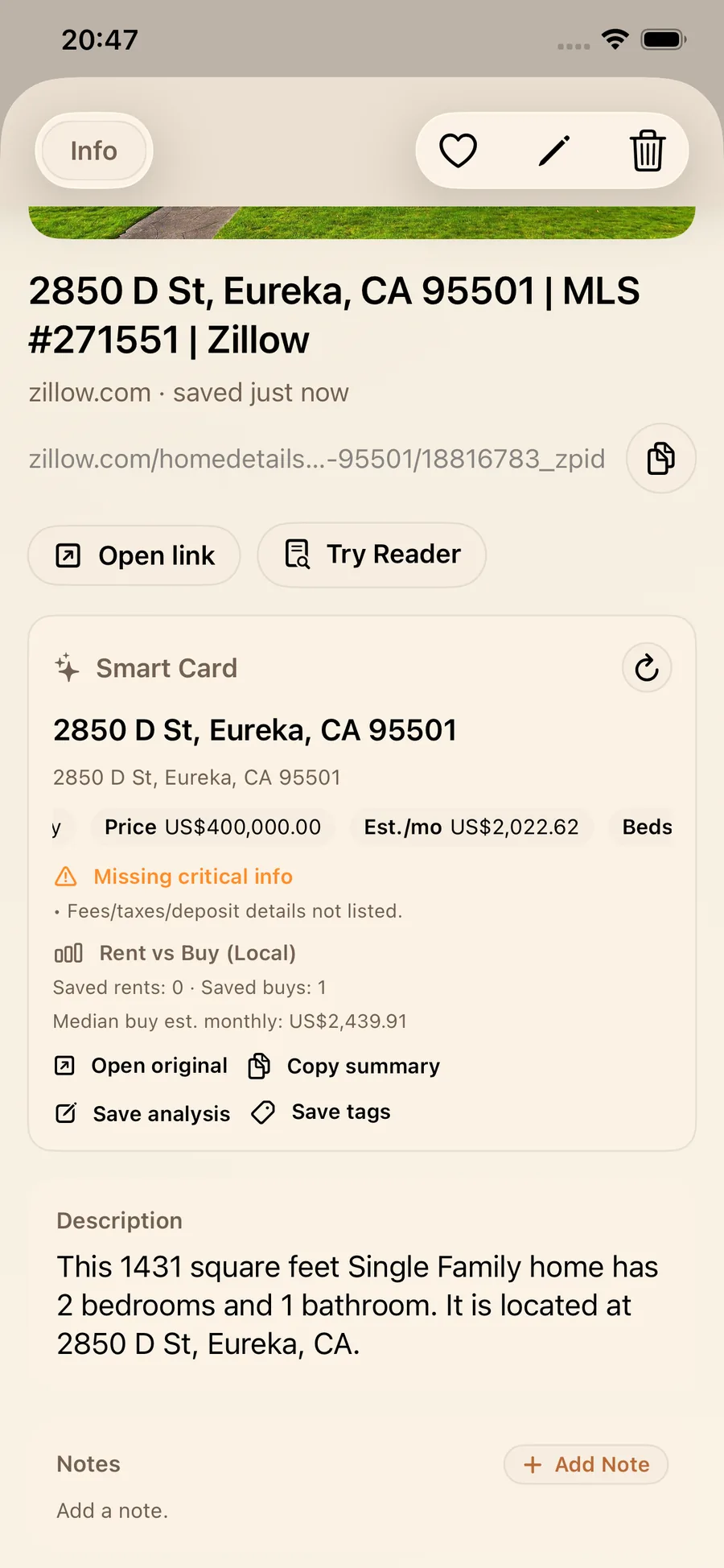
- Missing critical info alerts that flag incomplete essentials so you know what to verify before comparing.
- Rent vs Buy (Local) context using your saved data so your library becomes a living comparison view.
Actions stay one tap away: Open original, Copy summary, Save analysis, and Save tags.
LinkBook is a local-first privacy app, so your research workflow stays focused on decision quality, not social noise.
Walkthrough: a smart card real estate workflow
1) Save a listing and get a readable preview
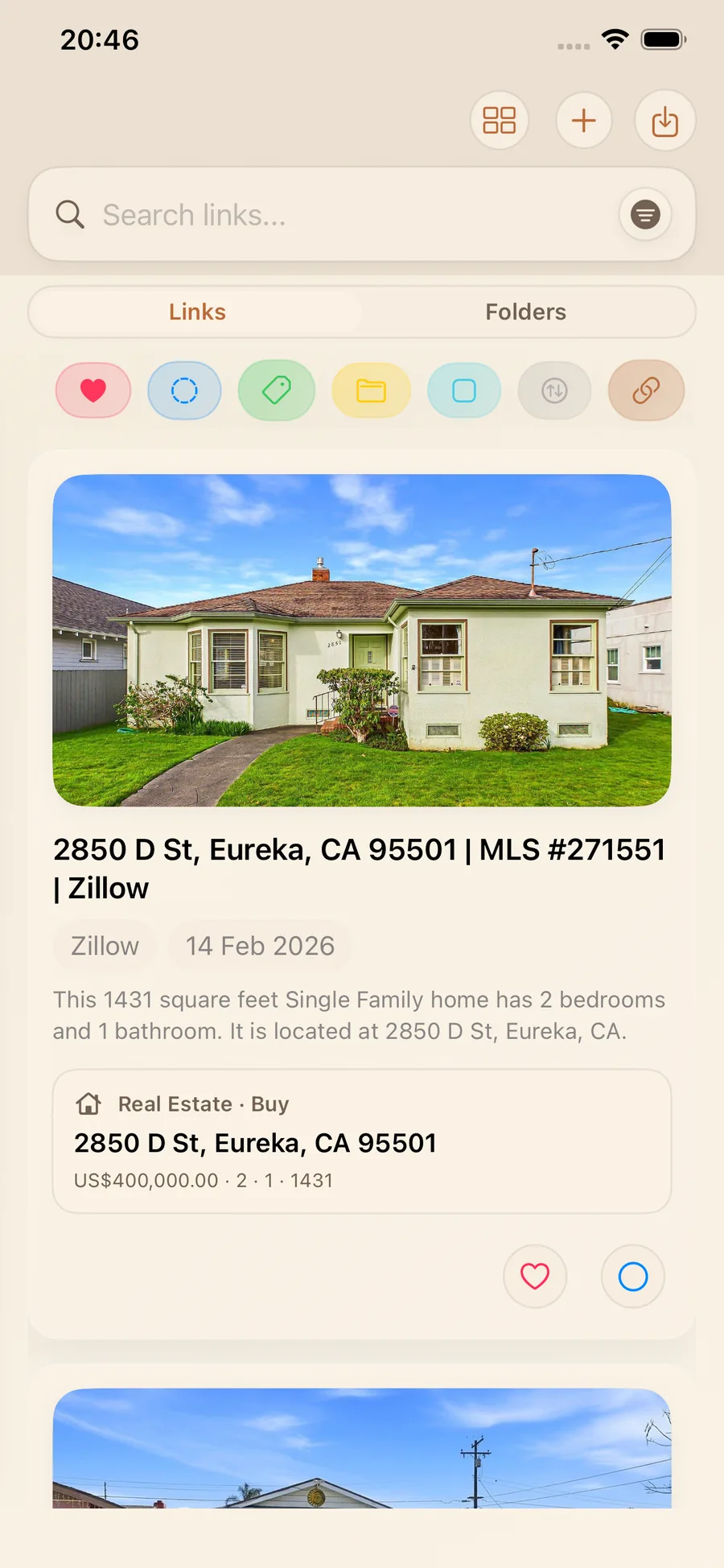
In the Links feed, the Smart Card preview makes each Zillow save immediately recognizable with property image, address, and key listing details.
2) Open detail view for full snapshot and flags
Tap a saved link to view expanded details: price, est./mo, beds, baths, sqft, and Missing critical info warnings that help you verify essentials before getting attached.
3) Compare properties without reopening everything
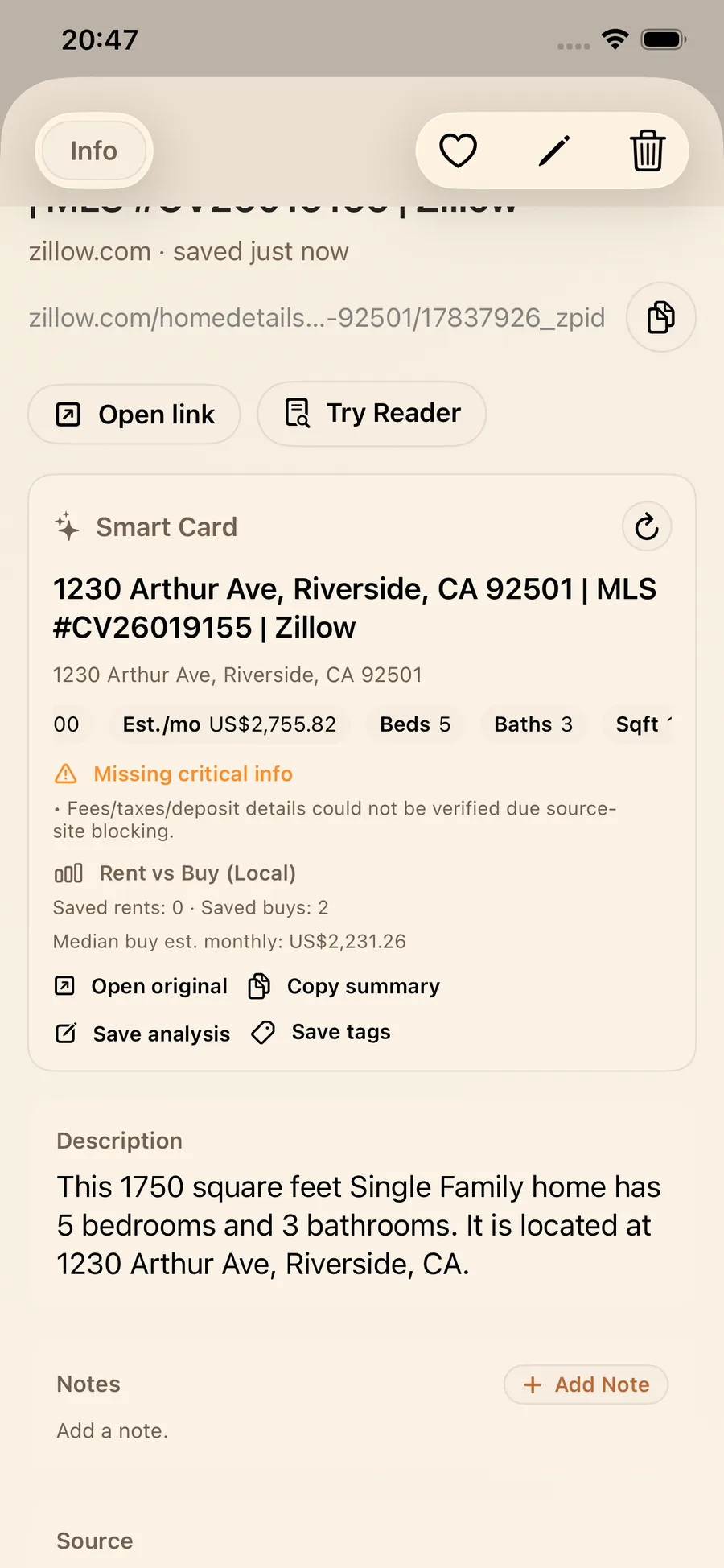
Because each Zillow Smart Card uses the same structure, comparison becomes fast and visual. You compare fields directly instead of re-reading full pages.
Pro tip: use Save tags for groups like Tour, Backup, Too small, or Check fees, and use Save analysis to capture your take before listings blur together.
What you get in practice
- Shortlists form faster with structured fields.
- Comparisons stay cleaner when est./mo, size, and layout are aligned.
- Risk is easier to spot with Missing critical info alerts.
- Sharing is simpler with Copy summary into Messages, Notes, or docs.
- Your library stays reusable weeks later because context is attached.
If you want the fastest way to extract key details from Zillow listing links, Smart Cards are the frictionless upgrade: save once, compare many times.
FAQ
How do I organize Zillow links on iPhone?
Save each listing into LinkBook so the Zillow Smart Card keeps essential fields with the link. Then use Save tags and folders to group listings by status and priorities.
What does the Zillow Smart Card show?
It can show listing intention (buy or rent), price, estimated monthly cost, beds, baths, square footage, and address, plus Missing critical info warnings and a Rent vs Buy (Local) snapshot.
Why does LinkBook say Missing critical info?
It appears when key details like fees, taxes, deposit, or similar essentials are unavailable or cannot be verified. Treat it as a reminder to verify before you compare or commit.
What is the best way to compare rent vs buy from saved listings?
Save both rental and for-sale listings into LinkBook. The Rent vs Buy (Local) section adds context from your saved data, and the consistent Smart Card structure makes side-by-side comparison easier.
Try Smart Cards in your next Zillow session
Next time you are house hunting, do not just save links. Save context. Add listings to LinkBook, let Zillow Smart Card generate structured summaries, tag your favorites, and use missing-info alerts as your verify-this checklist.
Ready to build your link library?
Download LinkBook and start saving in seconds.