
LinkBook Search
Search Saved Links on iPhone: Quotes, OR, and Typo Recovery in LinkBook
Type a word and LinkBook finds matching links. When you need more, search understands quotes, OR groups, and minus exclusions, recovers from typos, and looks inside Reader text and Smart Cards.
In this guide
- How precision tools sit on top of plain keyword search in the same search bar.
- How quotes, minus exclusions, and OR groups work in practice.
- How typo recovery and deeper matching improve recall in larger libraries.
- When optional on-device Apple Foundation Models can improve search quality.
When you save links all day, the hard part is not collecting them. It is finding the right one later. That is why LinkBook has always focused on clean organization and fast retrieval: folders, rich previews, and keyword search that works the way you expect.
LinkBook search goes beyond keyword lookup for the moments when you know what you mean but cannot remember the exact title, or when you need to narrow a large library without endless scrolling.
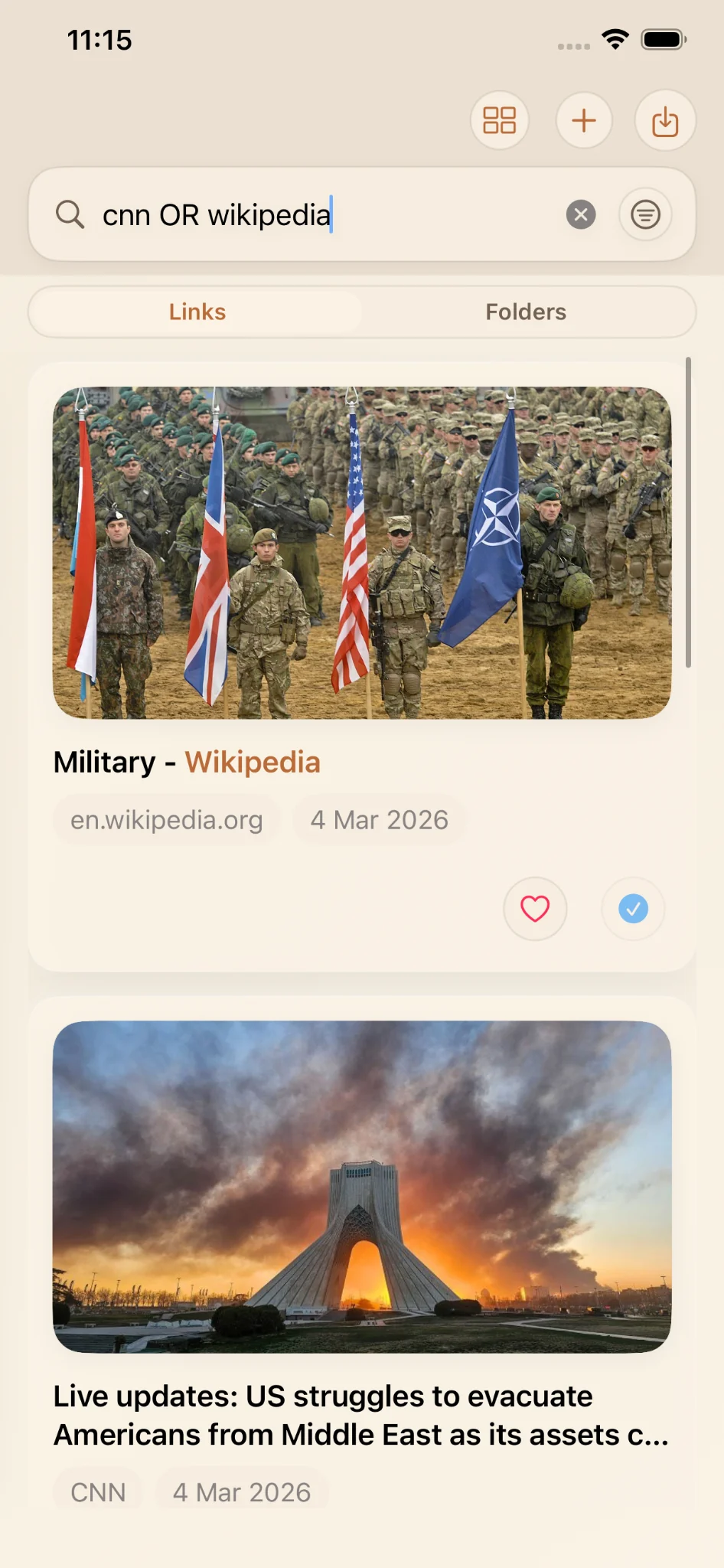
A real example: cnn OR wikipedia
Here is a simple demo from a real LinkBook library:
- A saved CNN live updates link.
- A saved Wikipedia Military link.
In LinkBook search, the query cnn OR wikipedia returns both results because the search engine
understands that you are asking for items that match either side of the OR group. No extra filters,
no manual toggles. Just type the query and move on.
That is the idea behind LinkBook search: precision when you need it, in the same single search bar.
LinkBook search in plain English
At its simplest, search is keyword lookup: type a word and get matching links.
On top of that, search adds two things:
- Query operators that let you express intent (phrases, exclusions, OR).
- Richer matching paths that can search more of what you saved (Reader text and semantic metadata when available).
Search operators: search like you talk
Most people do not think in single keywords. They think in constraints: the exact phrase, what to exclude, or two possible sources they might have saved.
1) Exact phrase search with quotes
Use quotes to match a phrase exactly: "swift concurrency".
This is useful when you remember a specific headline or multi-word term.
2) Exclusion with minus
Use a minus sign to exclude a term: rust -apple.
Exclusions help cut through noise without adding manual tags first.
3) OR groups to widen without losing control
Use OR to match either side: cnn OR wikipedia.
This works well when comparing sources or when you remember alternatives instead of one exact source.
4) Fuzzy typo recovery
Small misspellings should not break your flow. Search includes a typo-recovery fallback, so
concurency can still find results related to concurrency when the typo is close enough.
Search goes deeper than titles and URLs
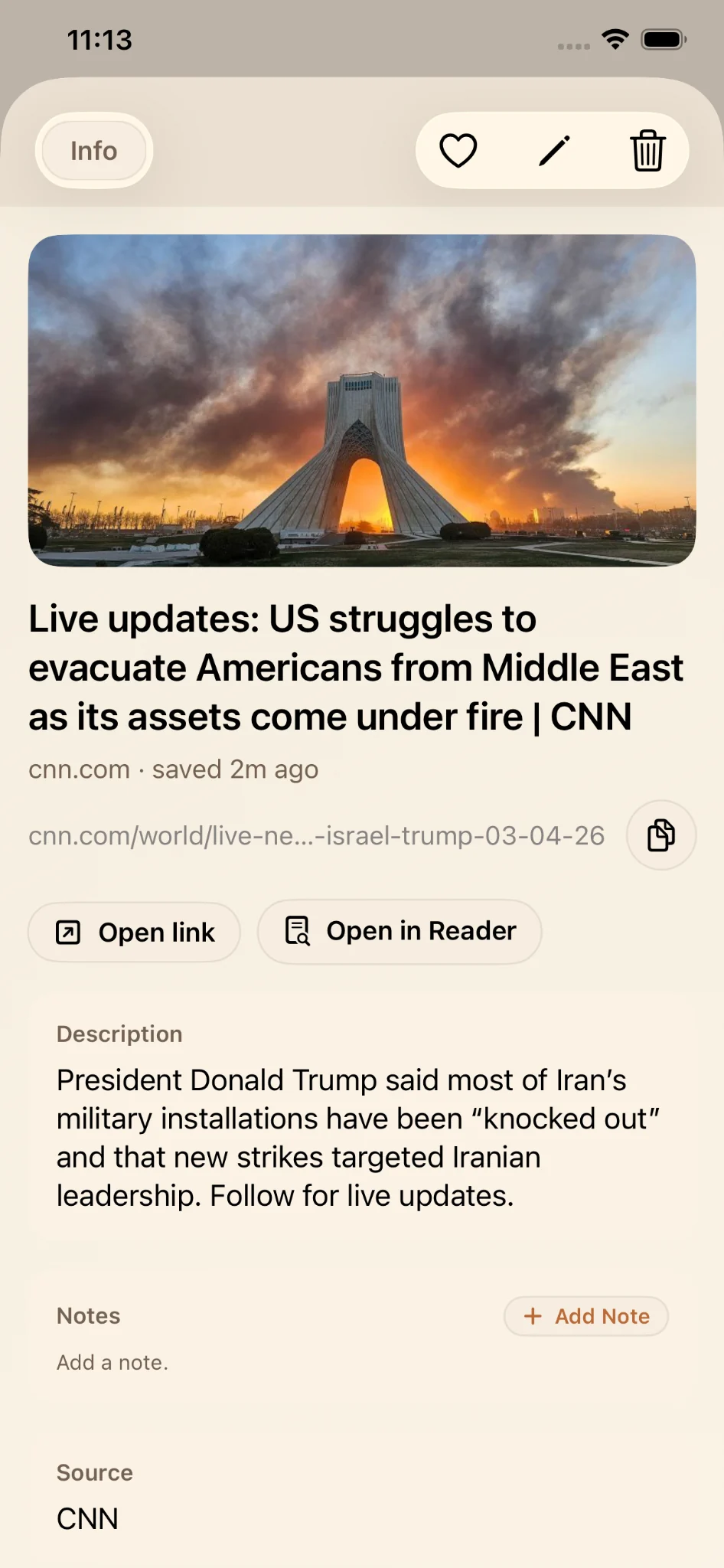
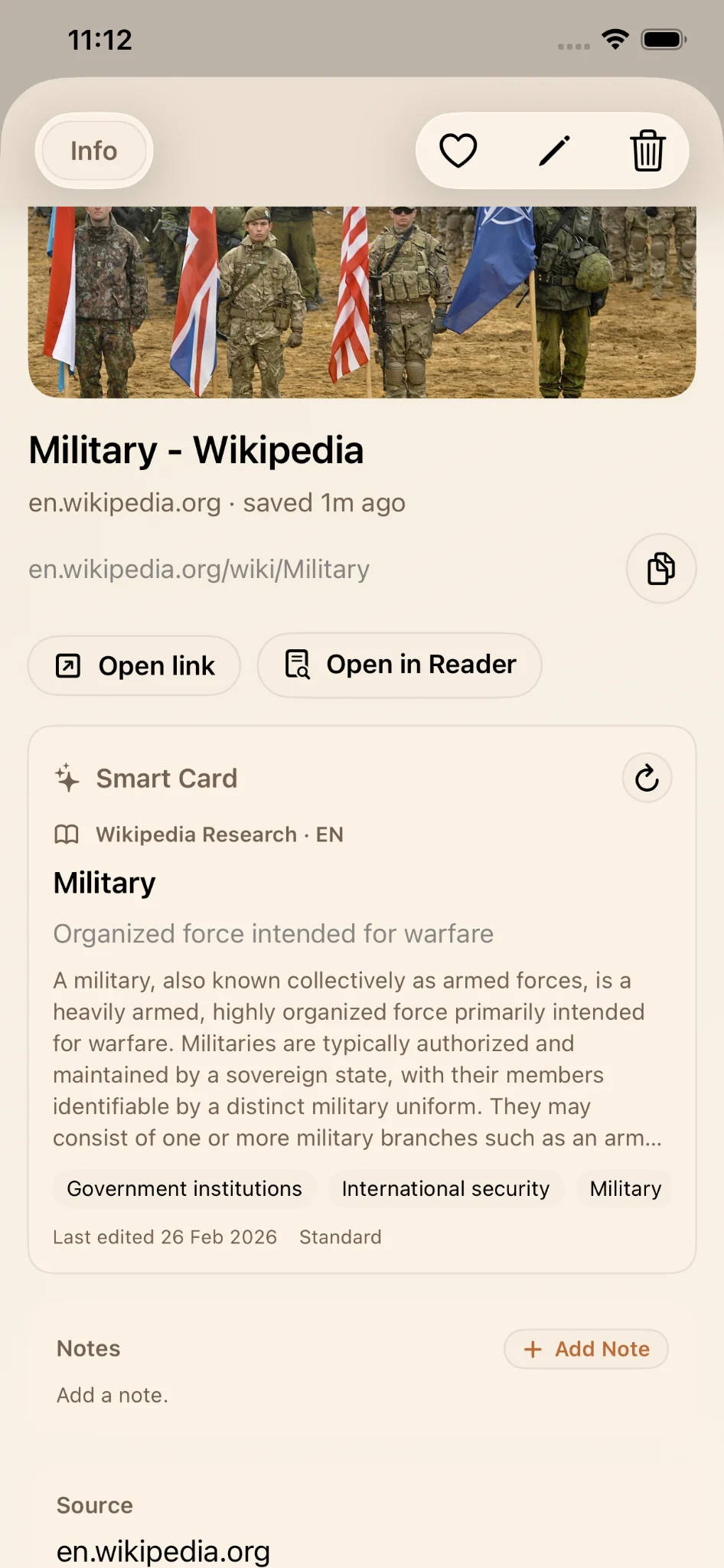
Titles and URLs are only the obvious fields. LinkBook search can look beyond them with richer matching paths when available:
- Reader text, so search can match meaningful content inside an article.
- Semantic metadata, such as structured summaries and tags from Smart Cards.
That combination helps you remember why you saved something, not only where it came from.
On supported iPhones: optional semantic enrichment with Apple Foundation Models
On supported iPhones, LinkBook can use on-device Apple Foundation Models to enrich semantic metadata, for example cleaner topic tags or more consistent summaries that improve search quality.
If your device does not support Apple Foundation Models, search still works. Quotes, minus, OR groups, and lexical plus fuzzy matching remain available, and search can still use any existing Reader text or metadata that is already present.
Who these search tools are for
Search operators and deeper matching are designed for people who:
- Save many links across different topics.
- Need fewer taps and less scrolling to retrieve information.
- Remember ideas and phrases, not exact page titles.
- Prefer expressing intent in the search box over manual cleanup.
Plain keywords still cover everyday lookups. The rest is there when you want precision, typo resilience, and context-aware retrieval in the same search bar.
Search features at a glance
| Capability | Example or note |
|---|---|
| Keyword lookup | concurrency |
| Exact phrase search | "swift concurrency" |
| Exclude terms | rust -apple |
| OR groups | cnn OR wikipedia |
| Fuzzy typo recovery fallback | concurency still finds concurrency |
| Reader text matching | When Reader text is available |
| Semantic metadata matching | Smart Card summaries and tags, when available |
| On-device Apple Foundation Models enrichment | Optional, on supported iPhones |
FAQ
Do I have to use search operators?
No. Type a word and LinkBook returns matching links. Quotes, minus exclusions, and OR groups are there when you need more precision.
How do OR queries work in LinkBook search?
Use the OR operator to match either side of a query, such as cnn OR wikipedia.
LinkBook returns items that match either term in the same query.
Does search still work if my iPhone does not support Apple Foundation Models?
Yes. Quotes, minus exclusions, OR groups, and lexical plus fuzzy matching still work. Search can also use any existing Reader text or metadata that is already present.
What does deeper search mean?
LinkBook can search beyond title and URL by using Reader text and semantic metadata, such as Smart Card summaries and tags, when those fields are available.
Is typo recovery aggressive?
Typo recovery is designed as a fallback for close misspellings, so search stays forgiving without broadly guessing unrelated terms.
Ready to search your saved links with precision?
If LinkBook is where your read-later links live, its search helps you actually find them later.
Try cnn OR wikipedia to feel the difference.