Privacy Guide
Private Bookmark App for iPhone: Hide Links and Keep Saves Local
Browser bookmarks are convenient until they become too exposed. A saved medical page, work research tab, gift idea, finance article, dating profile, job search link, or private reference may not belong in a browser folder someone can see the moment you open Safari.
LinkBook is built for that second category: links you still want to keep, search, and revisit, but do not want mixed into every normal browser bookmark list. It is a private bookmark app for iPhone with local-first storage, folders, tags, notes, and Premium hidden-link and hidden-folder controls.
In this guide
- When Safari bookmarks are too visible for sensitive saves.
- How LinkBook keeps private links in a separate iPhone library.
- How hidden links and hidden folders fit into a practical privacy workflow.
- Where LinkBook fits alongside private browsing, VPNs, password managers, and iOS app hiding.
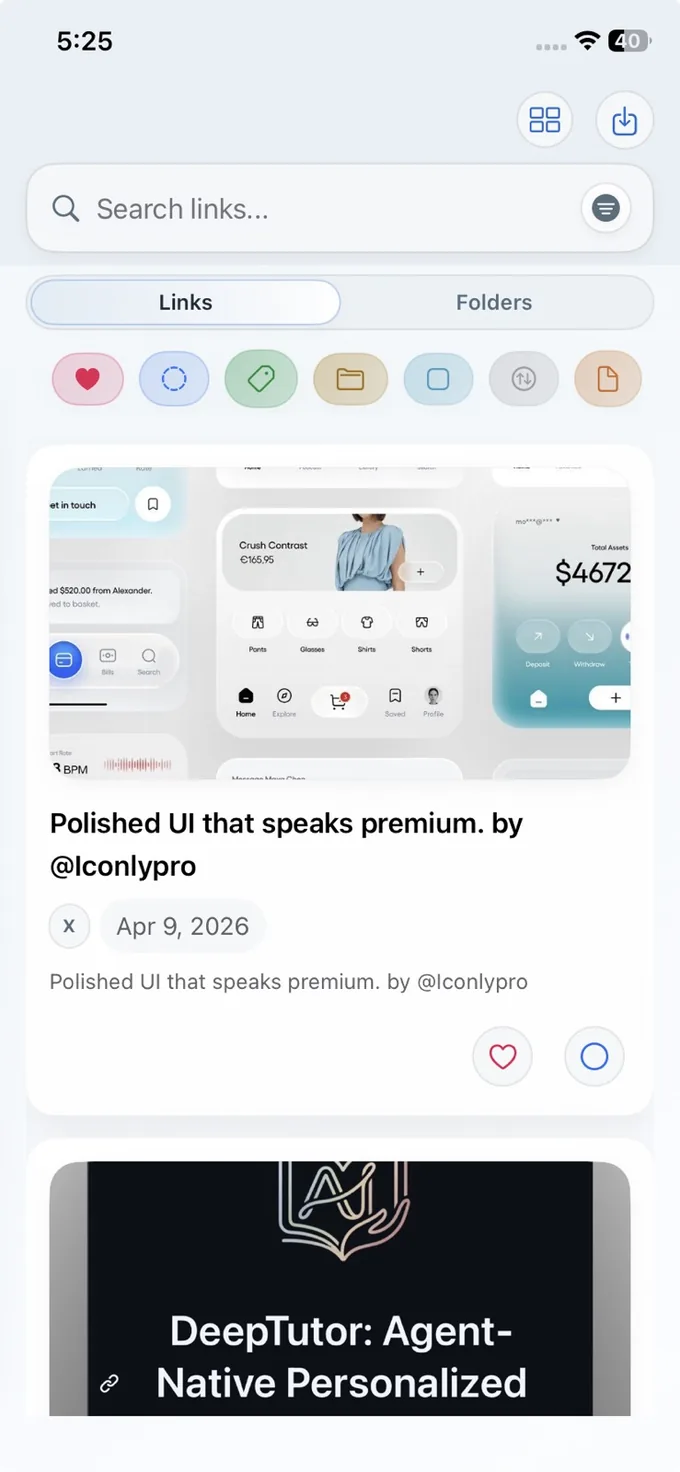
Why normal iPhone bookmarks feel exposed
Safari bookmarks are great for ordinary browsing. Private saved links need a cleaner boundary. They may belong with notes, folders, tags, and search, but outside the everyday browser list you open in front of other people.
iOS app locking and hiding can help at the app level. LinkBook focuses on the next layer: which saved links and folders are visible once you are inside your library.
Try LinkBook for private saved links
Start by saving a few links you do not want in your browser bookmarks. Add notes and folders, then decide which items should stay out of the main visible list.

What LinkBook adds to a private bookmark workflow
LinkBook is a private save-and-revisit library. Keep ordinary browsing in Safari, then move links worth retaining into LinkBook when they need organization, notes, search, or separation from the everyday browser list.
- Separate capture: save from the iOS Share Sheet instead of leaving important links in open tabs.
- Local-first storage: LinkBook stores your library locally using encrypted on-device database storage.
- Notes and tags: keep the reason for saving a private link with the link itself.
- Folders: group sensitive links by project, topic, travel plan, job search, or personal research area.
- Hidden links and folders: Premium can hide individual links or whole folders from the main visible browsing surfaces.
- Search: hidden links remain part of the retrieval workflow, so hiding does not turn into losing.
Example: hide a sensitive research folder
Say you are researching a medical question, a legal topic, a gift purchase, or a job move. Instead of a pile of browser tabs, build a library you can come back to without making every item visible on the main screen.
- Share each useful page to LinkBook from Safari or another iPhone app.
- Add a short note such as "compare later", "ask doctor", "possible gift", or "follow up".
- Put related items in one folder.
- Mark important items as favorites if they need quick recovery.
- Hide the folder when it belongs outside normal library browsing.
- Use search when you intentionally need to retrieve it again.
Know the privacy boundary
A private bookmark app works best when its job is clear. LinkBook protects the saved-link library and keeps sensitive collections easier to separate, search, and recover.
- Use Safari or your browser settings for browser history controls.
- Use a password manager for account credentials.
- Use VPN or private browsing tools for browsing-session privacy.
- Use LinkBook hidden links and hidden folders when saved items need to stay out of the main visible library.
- Use LinkBook search and notes so hidden saves remain retrievable when you need them.
Best-fit use cases for LinkBook privacy
| Use case | Why LinkBook fits |
|---|---|
| Health or personal research | Save sources with notes, then hide the folder from normal browsing. |
| Gift planning | Keep product links out of shared browser bookmarks and add decision notes. |
| Work research | Separate project links from personal tabs, then search by source, tag, or folder. |
| Finance and housing research | Keep sensitive listings, documents, or market links organized without exposing every card in the main feed. |
FAQ
Can LinkBook hide bookmarks on iPhone?
Yes. Premium includes hidden links and hidden folders. The purpose is to keep selected saved items out of the main visible list while preserving retrieval through LinkBook's library logic.
Is LinkBook local-first?
Yes. LinkBook's app architecture uses local encrypted database storage. Premium can add private iCloud sync and iCloud backup history, but the app is not built around a public social bookmark account.
Should I use Safari Reading List or LinkBook?
Use Safari Reading List for quick article saves inside Safari. Use LinkBook when you need cross-app saving, notes, folders, hidden items, Smart Cards, PDF/EPUB reading, or a broader saved-link library.