
Pillar Guide
AI Bookmark Manager: Capture, Organize, and Rediscover Links Faster
If your saved links keep growing but your retrieval speed stays slow, you do not need more bookmarks. You need an AI bookmark manager workflow that turns saved links into useful context you can act on.
In this guide
- What an AI bookmark manager is (and is not).
- Why traditional bookmark lists fail at retrieval.
- The capture → context → retrieval framework.
- How LinkBook applies that framework on iPhone.
- How to evaluate tools with neutral criteria.
What is an AI bookmark manager?
An AI bookmark manager helps you save links and retrieve value from them later. The difference from a standard bookmark list is not just storage. It is context and retrieval quality.
In a basic bookmark list, everything starts to look the same: a title, a URL, and maybe a folder. Weeks later, your real problem is not “where did I store this?” It is “which one of these links is actually relevant right now?”
A practical AI bookmark manager should help at three moments:
- Capture when you first find the link.
- Context when you scan your saved list later.
- Retrieval when you need a specific answer fast.
If a tool only adds flashy summaries without improving these three moments, it is not solving the core problem.
Why normal bookmarks fail at retrieval
Most bookmark systems fail quietly. Saving works, so it feels productive. Retrieval fails later, so it feels like personal disorganization. In reality, the system is usually the bottleneck.
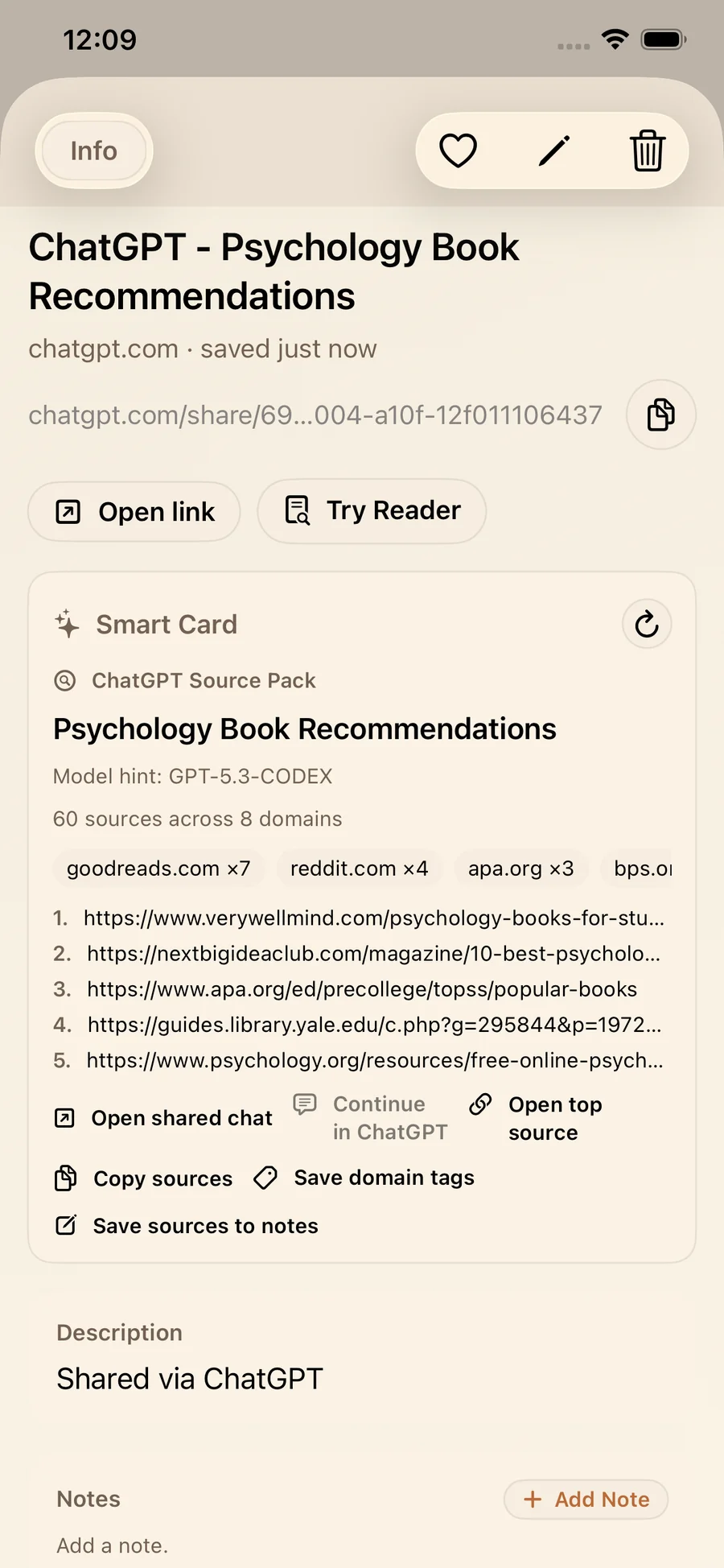
A plain URL list loses context over time. You forget why you saved a page. Source quality is unclear. Similar links blend together. This exact retrieval problem is explored in Why your bookmarks fail (and how Smart Cards fix it).
The result is familiar: duplicated saves, endless tab hoarding, and repeated searching for things you technically already saved.
The capture → context → retrieval framework
Before comparing tools, use a framework. It keeps decisions practical and prevents “feature checklist drift.”
1) Capture
Capture needs to be frictionless. On iPhone, this means Share Sheet support and a fast save flow from any app. If capture takes too many steps, people postpone saves and lose links.
2) Context
Context determines scan speed. Source labels, previews, and smart structure help you decide what to open now and what to defer. Context turns a pile of links into a usable queue.
3) Retrieval
Retrieval is where ROI appears. Search, tags, folders, and smart summaries reduce time-to-answer. This is the difference between “I remember saving something” and “I can use it in 30 seconds.”
How LinkBook applies this workflow on iPhone
LinkBook is built around the same three-phase model.
Capture in seconds
You can save from Share Sheet or add a link manually with title, notes, tags, and folders. If you want the step-by-step flow, start with How to save links on iPhone (without tabs).
Context through Smart Cards
Smart Cards enrich saved links with source-aware context. Instead of scanning unknown URLs, you scan recognizable units. The base system is explained in Smart cards for saved links: Save with context in LinkBook.
Retrieval through organization and reading tools
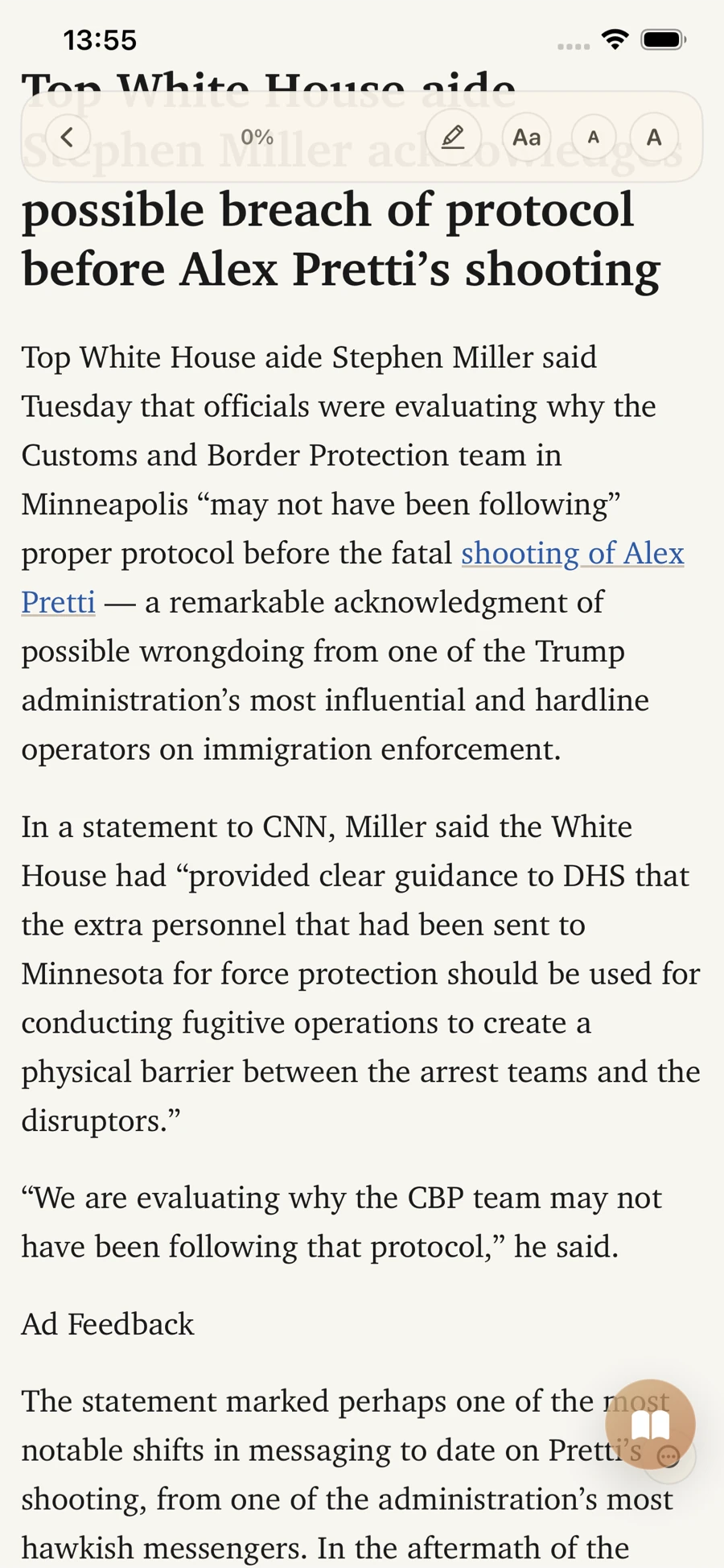
Tags, folders, notes, favorites, unread states, and search all support retrieval. When a link deserves deeper reading, Reader Mode provides a cleaner environment with highlight support.
AI extraction with Reader Insights
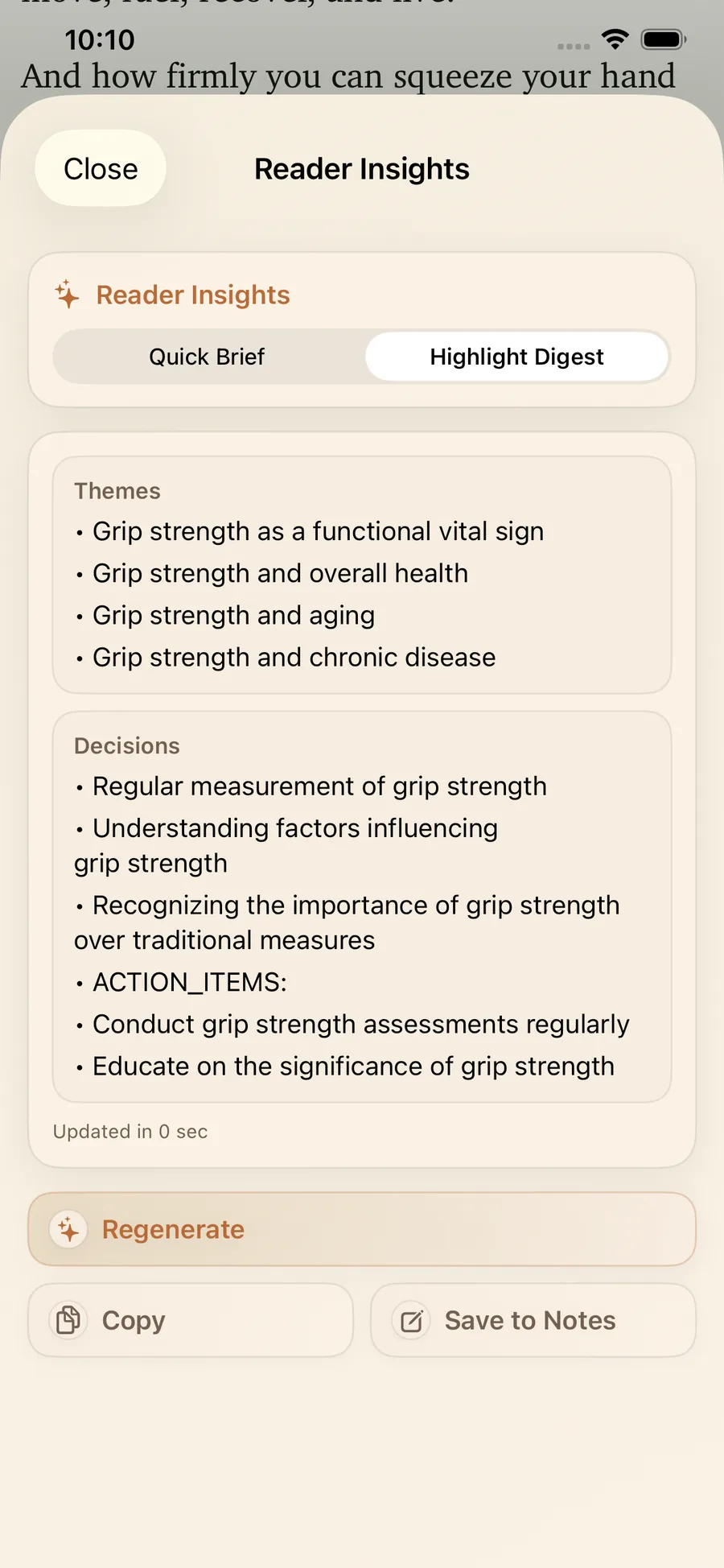
Reader Insights helps transform reading into reusable outputs (for example: Brief, Key Facts, and Uncertainties). For a full walkthrough, see LinkBook Smart Cards + Reader Insights.
Try the workflow in one session
Save one research link, one social link, and one AI chat link. Then triage with Smart Cards, open Reader Mode, and generate a Reader Insights summary.

Real use cases: where AI bookmark workflows matter
Good systems prove themselves in actual workflows, not abstract demos.
AI chat links you need to reuse
Shared AI chats often contain useful prompts, source links, and decisions. You can see this workflow in AI Smart Card: Turn ChatGPT and Gemini Links Into Usable Notes.
Reddit research threads
Threads can contain nuanced discussion plus buried source links. A source-aware card improves triage. See Reddit Smart Card: Save Reddit Links on iPhone With Context.
TikTok links you want to revisit intentionally
Social saves are usually high-volume and low context. Organizing them early prevents loss. Related guide: Save TikTok Videos and Watch TikTok Later on iPhone with LinkBook.
Recipe and household workflows
Recipes are a perfect example of retrieval pressure. You need the right link at the right moment, often in the kitchen. See Recipe Smart Card: Save recipe links you can actually cook.
Comparison framework: evaluate tools without hype
If you are comparing options, use criteria instead of brand claims. For broader app-level comparison, see Best Bookmark Manager for iPhone in 2026.
| Criterion | Basic Bookmark List | AI Bookmark Workflow |
|---|---|---|
| Capture speed | Usually fast | Should stay fast (Share Sheet + quick save) |
| Context at scan time | Low (title + URL) | Higher (source-aware cards + metadata) |
| Retrieval quality | Depends on memory | Search + filters + structured context |
| Reading flow | Back to noisy web pages | Reader Mode + highlights + notes |
| Insight extraction | Manual only | AI-assisted summaries and synthesis |
| Privacy fit | Varies by product | Check storage model and data boundaries |
How to choose an AI bookmark manager (evaluation checklist)
- Can you save from Share Sheet without friction?
- Does the saved item include context you can trust at scan time?
- Can you retrieve by search, tag, folder, and source?
- Is there a reliable reading mode for long-form content?
- Are AI outputs structured and reusable, not just generic summaries?
- Are notes and highlights attached to the original source?
- Does the privacy model match your risk tolerance?
- Can the system scale from 50 links to 5,000 links?
If a product scores well on this checklist, it will likely support real day-to-day retrieval behavior.
A practical 30-day rollout plan
A common mistake is trying to reorganize your entire backlog on day one. That usually fails. A better approach is to start with a limited operating rhythm and scale once the workflow feels natural.
Week 1: capture discipline
Focus only on capture quality. Save links through Share Sheet or manual add, and force yourself to add at least one useful tag. The goal is not perfect taxonomy. The goal is reducing zero-context saves.
Week 2: context and triage
Start each day with a short triage pass. Open the app, scan Smart Cards, choose one high-value read, and defer everything else. This creates a clean “next action” pattern and prevents random browsing.
Week 3: retrieval and reading
Use search plus filters deliberately: source, tag, unread, and favorites. When links are long-form, switch to Reader Mode instead of returning to noisy browser tabs. Highlight while reading so your future self can find key passages quickly.
Week 4: AI extraction and reuse
Add Reader Insights into your post-reading loop. Generate a Brief for overview, then a structured output you can copy into notes, tasks, or project docs. At this stage, your library becomes a reusable knowledge base rather than passive storage.
If you want a shortcut, start from the guides hub, pick one use case, and run this cycle before adding advanced setups.
Common mistakes (and how to avoid them)
Mistake 1: saving everything without intent
When everything is “important,” nothing is retrievable. Add lightweight intent at save time: tag by project, audience, or action type. This small step compounds quickly.
Mistake 2: relying on memory instead of filters
Retrieval quality collapses when your only query is “I think it was from last month.” Use source, tag, and status filters as your primary navigation model.
Mistake 3: treating AI output as final truth
AI summaries are accelerators, not replacements for judgment. Keep source-aware reading in the loop. Smart Cards plus Reader Mode make it easier to verify before acting.
Mistake 4: no review cadence
Without a weekly cleanup pass, even good systems degrade. Archive irrelevant links, merge duplicate tags, and favorite evergreen references you reuse often.
Metrics that show your system is working
You do not need analytics overload. Track a few practical indicators:
- Time to find a previously saved link.
- Percentage of saved links you actually reopen within 14 days.
- Number of links converted into notes, decisions, or deliverables.
- Reduction in duplicated saves and “where did I put that?” searches.
If retrieval time drops and reuse rate climbs, your AI bookmark manager is doing real work.
Privacy and trust: what to verify before committing
AI features are useful only if trust is clear. For link workflows, that means understanding what is stored, what is processed, and when.
LinkBook uses a local-first model with encrypted on-device storage. Metadata and smart content are fetched only for links the user decides to save. This reduces accidental exposure from background processing of unrelated content.
Premium can add encrypted local backups, private iCloud sync between iPhone and iPad, and expanded Smart Card capabilities. The key point is not “AI yes/no.” It is whether your storage and processing boundaries are explicit and controllable.
Who this is for (and not for)
Great fit
- Researchers, students, and operators who save many links daily.
- Creators tracking ideas across social, news, and AI tools.
- People who need faster retrieval, not just better storage.
Lower fit
- People who save very few links and rarely revisit them.
- Users who only want browser-level bookmarks with no organization needs.
- Teams expecting desktop-first workflows from an iPhone-focused product.
FAQ
What is an AI bookmark manager?
It is a system that combines link saving with context and retrieval support, so you can find and use saved links faster than with plain bookmarks.
How is this different from regular bookmarks?
Regular bookmarks mostly store links. AI bookmark workflows add structured context and retrieval support so saved links remain usable over time.
Can LinkBook save from the iOS Share Sheet?
Yes. LinkBook supports Share Sheet saving and manual add with title, notes, tags, and folders.
What does Reader Insights do?
Reader Insights helps convert long reading into practical outputs, including structured summaries and reusable notes.
Can I read saved links offline?
Reader Mode supports offline reading for eligible article text in Premium.
How does LinkBook handle privacy?
LinkBook is local-first with encrypted on-device storage, and smart processing is limited to links you choose to save.
Is LinkBook cross-platform?
LinkBook is focused on iPhone workflows, with private iCloud sync for iPhone and iPad in Premium.
Build your own AI bookmark workflow this week
If you want a quick start, open the LinkBook guides hub, pick one workflow, and run it for three days. Then use the FAQ to resolve setup and feature questions quickly.
A strong system is not about saving everything. It is about retrieving the right thing at the right moment with less friction.