
Bookmark Managers for iPhone: Compare Apps and Features
Choose a bookmark manager around what you save and where you need it. Safari covers everyday bookmarks; a separate library can add tags, notes, reading files and more ways to return to your saves.
Choose by what you need
- Simple bookmarks and an offline reading list: start with Safari’s built-in tools.
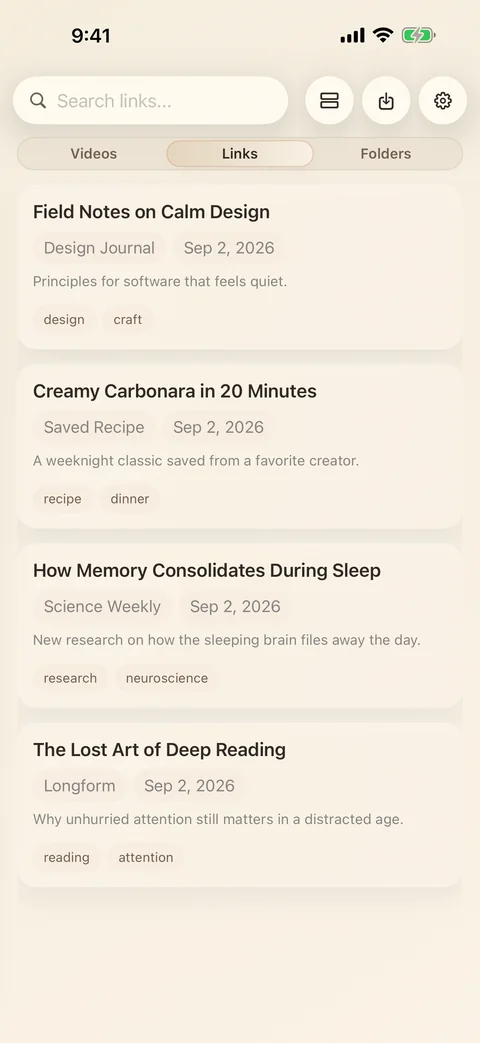
- Articles, reading files and recipes in one iPhone/iPad library: consider LinkBook, with Premium for folders, file import and Book Mode.
- Article reading across Apple devices: look at GoodLinks.
- Bookmarks across Apple, Windows, Android and the web: look at Raindrop.io.
- An Apple-focused organizer for links and files: look at Anybox.
A feature comparison, checked 6 September 2026
We make LinkBook. This comparison uses our app source and the official product pages linked below. It is a feature guide, with no numerical ratings or claim of a hands-on benchmark of every app. Check the linked plan pages for current regional prices.
| App | Useful for | Organization and reading | Account, sync and plans |
|---|---|---|---|
| Safari | Built-in iPhone/iPad bookmarking | Bookmark folders and Reading List; saved Reading List articles can be available offline. | Included with the device. An Apple Account is needed for iCloud sync. Apple’s Reading List guide. |
| LinkBook | Links, reading files and supported recipes on iPhone/iPad | Tags, notes, favorites and search. Premium adds folders, PDF/EPUB import and Book Mode. Eligible article copies and downloaded files can be read offline. | No separate LinkBook account. Optional private iCloud sync is Premium. Manual local backup and restore are free. Current app and plans. |
| GoodLinks | Article reading on iPhone, iPad and Mac | Article extraction, tags, starred items, search, highlights and notes. | iCloud sync without a separate web-service account. One purchase includes one year of feature upgrades. Features and purchase details. |
| Raindrop.io | Cross-platform bookmarks and shared collections | Collections, tags, previews, highlights, import and export. File uploads include PDFs. | A service account; web, desktop and mobile apps. Free and paid plans. Features · Plans. |
| Anybox | Links and files on Apple devices | Bookmark and file organization; check the current product documentation for reader and import details. | Uses iCloud; needs iCloud Drive enabled and enough storage. Setup and compatibility. |
PDF import, EPUB reading and offline availability are separate capabilities. Where a capability is not described here, it has not been verified for this comparison; absence from the table is not a claim that an app lacks it.
When Safari is enough
Use bookmarks for pages you visit regularly and Reading List for articles you want to read later. Safari already has offline article saving. A separate app is useful when you want a library with notes, tags, reading files, or a supported recipe’s ingredients and cooking steps.
LinkBook keeps its own library. Turning on LinkBook iCloud sync does not add its links to Safari bookmarks. To move an existing collection, use a supported bookmark HTML export with Premium bookmark import.
Where LinkBook fits
LinkBook suits someone who saves an article now, keeps a PDF or EPUB beside it, and returns later to read or cook. You can start by saving links for free and decide whether you need the Premium features.
Free includes five Smart Cards and seven Reader Insights generations on compatible devices. Premium adds unlimited generations, folders, hiding, enhanced search, Book Mode, imports, iCloud sync, and automatic backup history. The interface is English.
For offline reading, prepare eligible article copies and download reading files first. Embedded media and live pages can still need a connection.
Related guides
Download LinkBook