
New in LinkBook 4.2.4
How to save a GIF from Twitter (X) on iPhone
The X app, formerly Twitter, has no button to save a GIF to your iPhone, but the card LinkBook makes for a post on X has one. Share the post to LinkBook, open it and tap Save GIF: the GIF goes to Photos, ready to send in Messages or WhatsApp.
That makes LinkBook a Twitter GIF saver on your phone. There’s no link to paste into a website, and the post stays in your LinkBook library, with its words, for the next time you want it.

How to save a GIF from Twitter on iPhone, step by step
1. Share the post to LinkBook
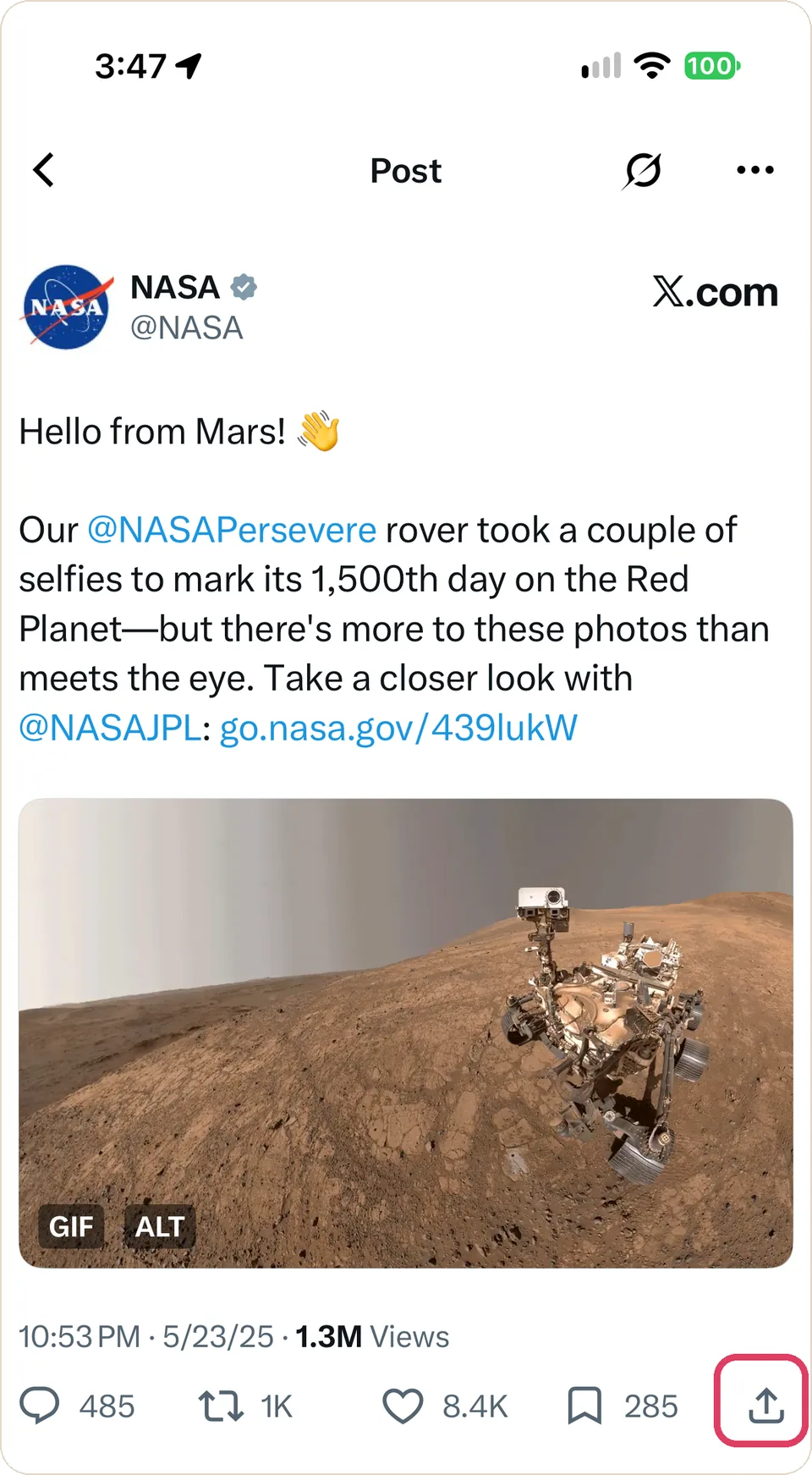
In the X app, open the post with the GIF and tap the share button under it.
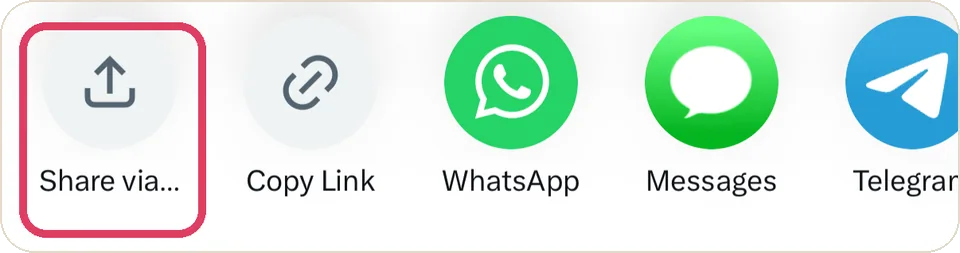
X shows its own menu first. Tap Share via… to reach the iPhone share sheet.
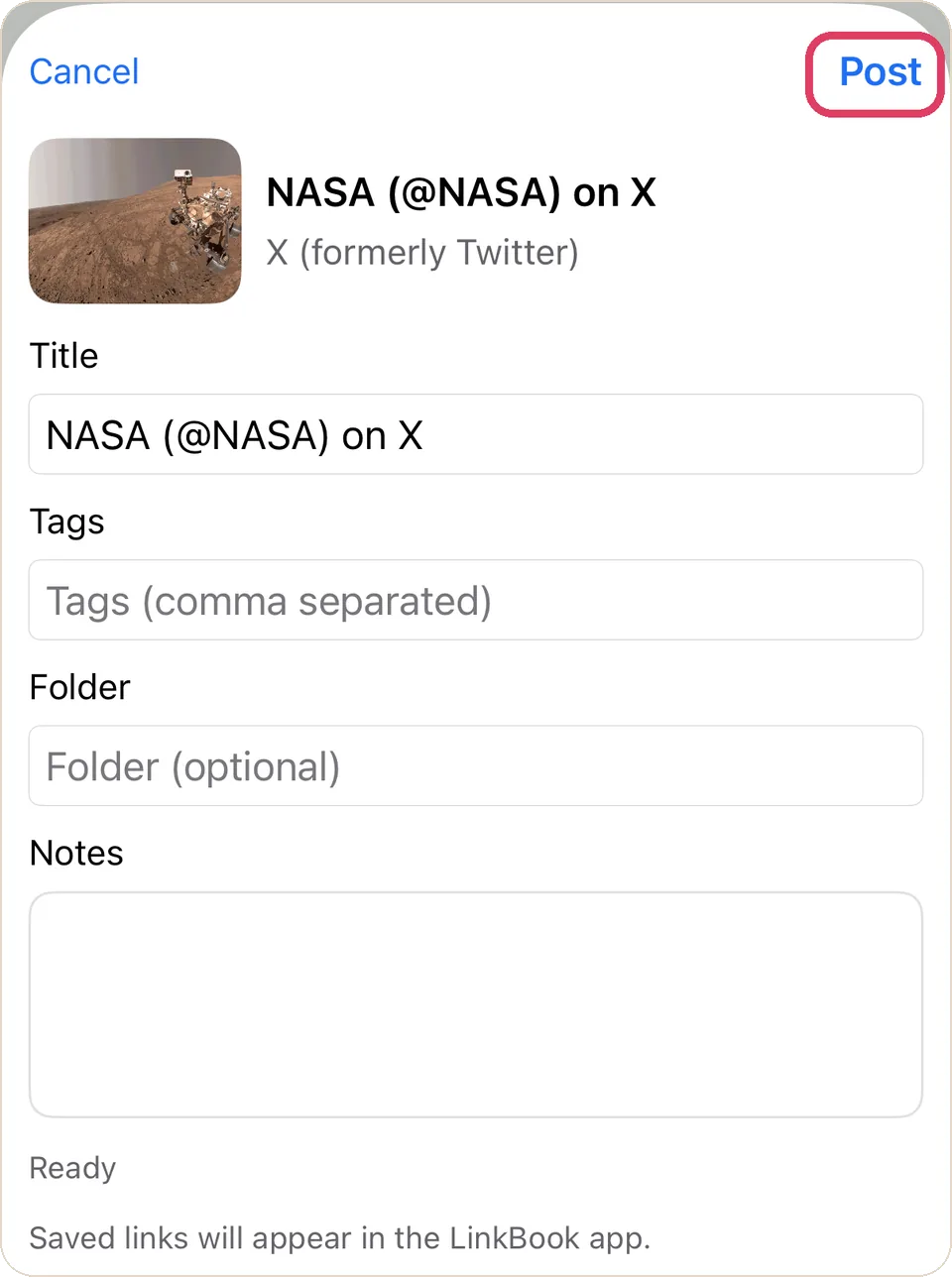
Choose LinkBook. If it isn’t in the row of apps, tap More at the end of the row and add it.

LinkBook’s sheet opens with the post’s picture. Add tags or a note if you like, then tap Post.
2. Open the post in LinkBook
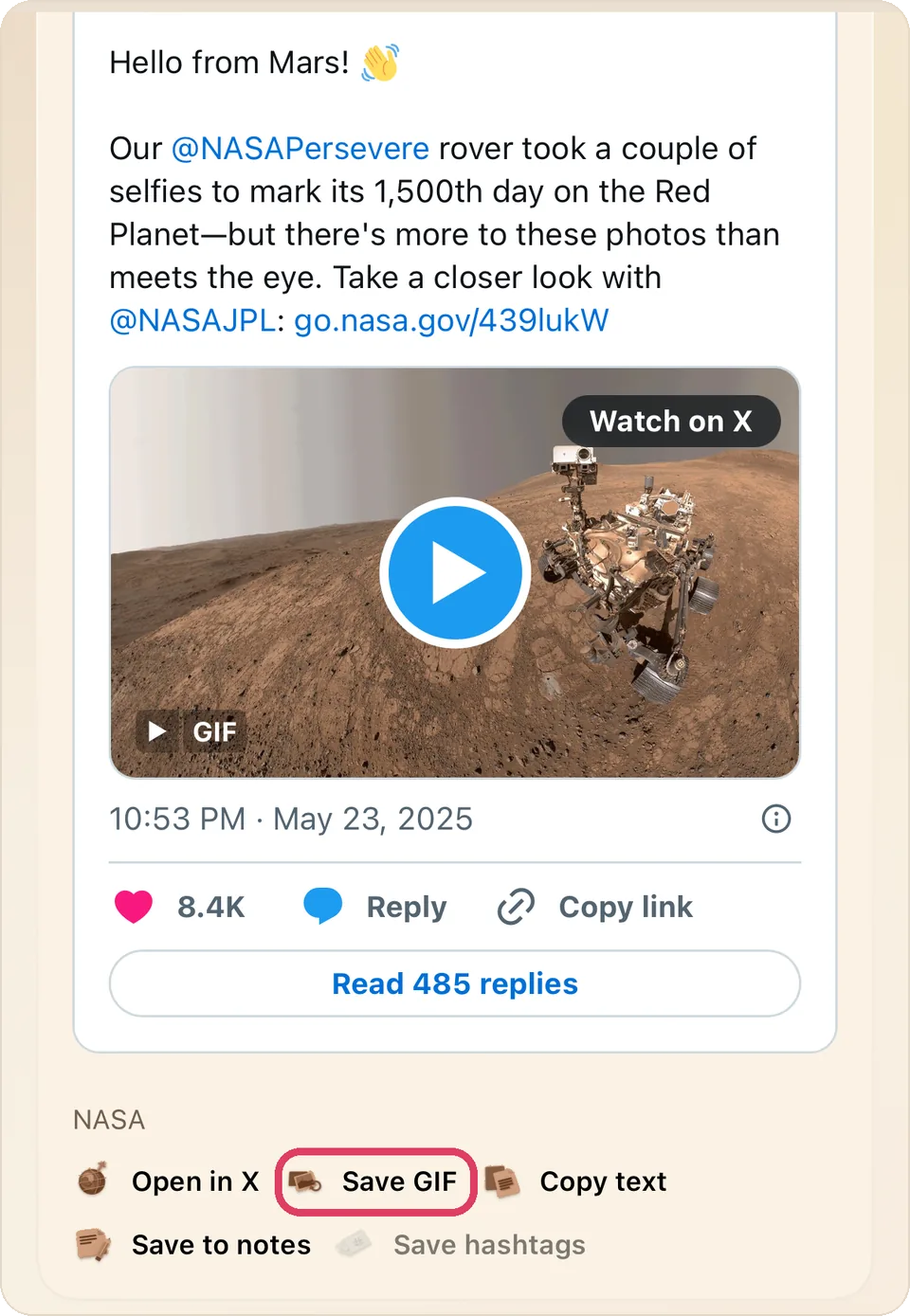
Open LinkBook and tap the post in your links. Scroll to its card, which shows the post, GIF and all.
3. Tap Save GIF
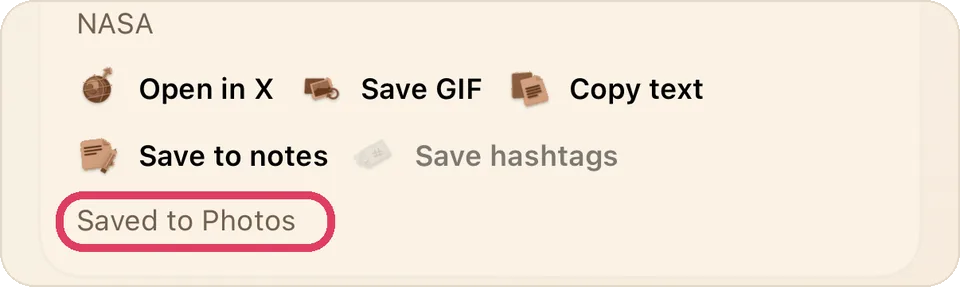
Save GIF is beside Open in X under the post. The first time, your iPhone asks whether LinkBook may add to Photos: tap Allow.
4. Find it in Photos
The card says Saved to Photos, and the GIF is in your Photos library.
The post stays in LinkBook, so you can save its GIF again any time. For other ways to get posts and pages into LinkBook, see how to save links on iPhone.
What you get in Photos
X doesn’t keep GIFs as .gif files: every GIF posted on X is stored as a short, silent MP4 clip. LinkBook saves that clip at the quality X serves it and names it after the post’s author. In Photos it plays like any clip, and you can send it in Messages or WhatsApp.
If what you need is a .gif file, for a website or a slide, a GIF converter can turn the clip into one.
Which posts have Save GIF
When you open a post, LinkBook asks X whether the post has a GIF of its own. If it does, Save GIF appears under it. You won’t see the button when:
- the post has only pictures or words;
- the GIF is in a post it quotes or replies to. Open that post in X and save it to LinkBook instead;
- the post was deleted, or its account is protected;
- your iPhone is offline. Open the post again when you’re back online and the button appears.
The rest of the X card
A post you save from X keeps its words and picture on its card, so you can tell your saved posts apart in the list. Under a post with words:
- Open in X takes you back to the post in the X app.
- Copy text copies the post’s words.
- Save to notes puts the words in the link’s notes, where search finds them.
- Save hashtags turns the post’s hashtags into tags.
Put posts in folders, tag them and find them with search, like any link in LinkBook. With iCloud sync on, the post is on your iPad and Mac too, with the same Save GIF. More in saving X posts with their text and picture and Smart Cards for saved links.
Common questions about saving GIFs from Twitter and X
How do I save a GIF from Twitter?
Share the post from the X app to LinkBook, open it in LinkBook and tap Save GIF. On iPhone and iPad the GIF goes to Photos; on a Mac, LinkBook asks which folder to save it in.
Can I download a GIF from Twitter on iPhone?
Yes. The X app has no button for it, but LinkBook does: share the post to LinkBook, open it and tap Save GIF. The GIF goes to Photos on your iPhone.
Is there a Twitter GIF downloader for iPhone?
Yes. LinkBook has a Twitter GIF saver built into its card for posts on X, so you don’t need a separate X GIF downloader. Save the post from the X app’s share sheet and tap Save GIF under it. There is no link to paste into a website.
Is the GIF saved as a .gif file?
No. X keeps every GIF as a short MP4 clip, and LinkBook saves that clip as X serves it. It plays in Photos and sends in Messages and WhatsApp. If you need a .gif file, a converter can turn the clip into one.
Why don’t I see Save GIF under a post?
The post has no GIF of its own: it has only pictures or words, or the GIF is in a post it quotes, in which case open and save the quoted post. Save GIF also does not appear for a deleted post or a post from a protected account. With no connection, it appears the next time you open the post online.
Can LinkBook see my photos?
No. The first time you save a GIF, LinkBook asks only to add to Photos. It cannot see or read the photos already there.
Does Save GIF work on iPad, iPhone Duo and Mac?
Yes. On iPad and iPhone Duo it works as on iPhone and saves to Photos. On a Mac, LinkBook for Mac asks which folder to save the file in.
Save GIFs from X on your iPhone
Save the post to LinkBook, tap Save GIF, and send it from Photos.

On a computer? Scan with your iPhone
App Store